
Modifications: sizes, colors and product properties
On this page
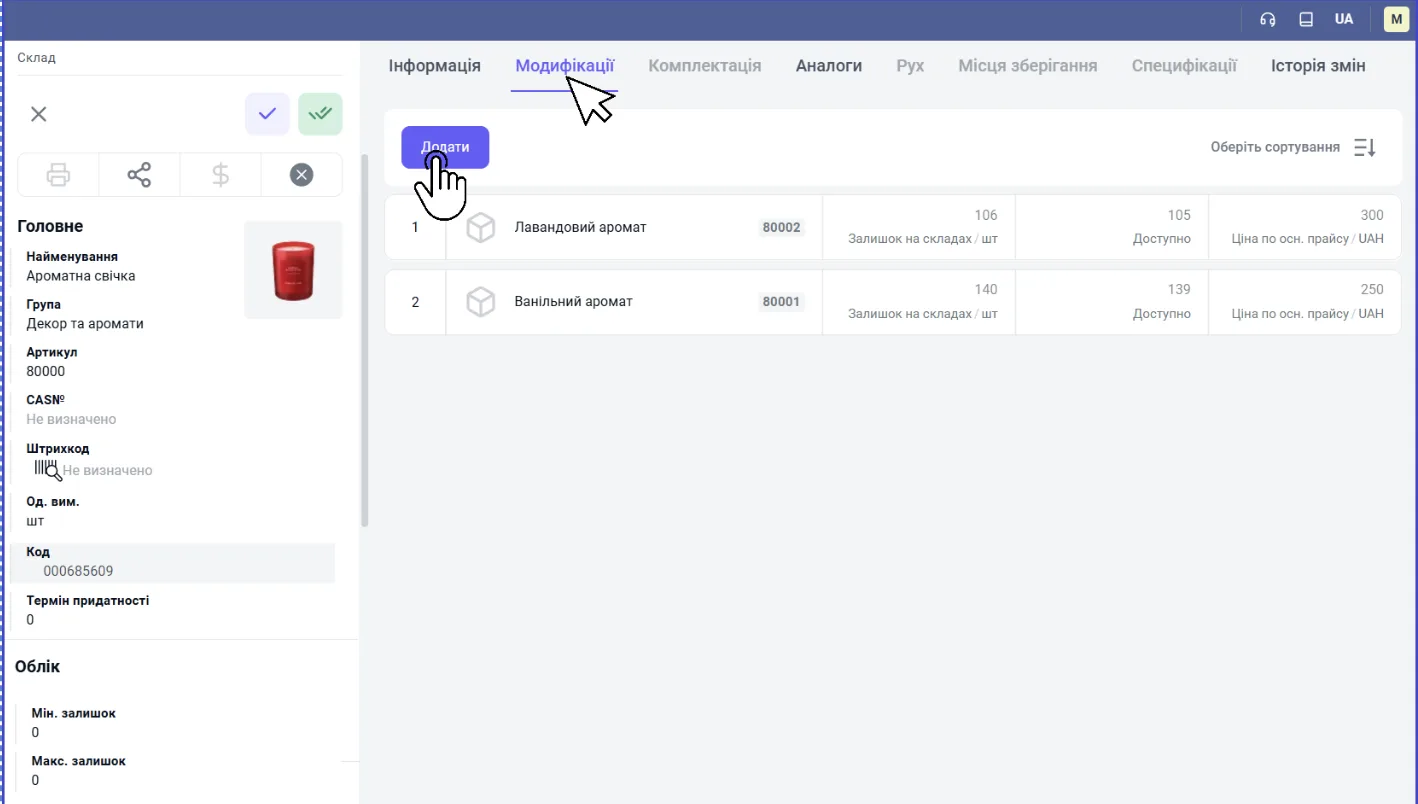
Modifications combine the variants of one product (size, color, scent) in a single card while keeping a separate stock balance and price for each variant. To add a modification, save the product card, open the "Modifications" tab, click "Add" and select an item from the list.
What modifications are
Modifications are variants of one product with different characteristics, combined in a single card. Instead of three cards “Urban Run sneakers (size 42)”, “(size 43)” and “(size 44)”, you create one card “Urban Run sneakers” with three modifications: 42, 43 and 44. The catalog stays compact, and the stock balance and price are visible for each variant.
Modifications fit when the main properties and the price are the same and only one variable characteristic differs: size, color, scent, memory capacity. If products differ significantly, create separate products.
How to add modifications to a product
- Create and save the base product card in Warehouse → Products and services. If you do not save it, the parent product will not be linked to the modifications.
- Open the product card and go to the “Modifications” tab.
- Click Add.
- Select from the list the item that will be the modification (for example, “Lavender scent”).
- Repeat for all variants and save the card.
How modifications look in the product list
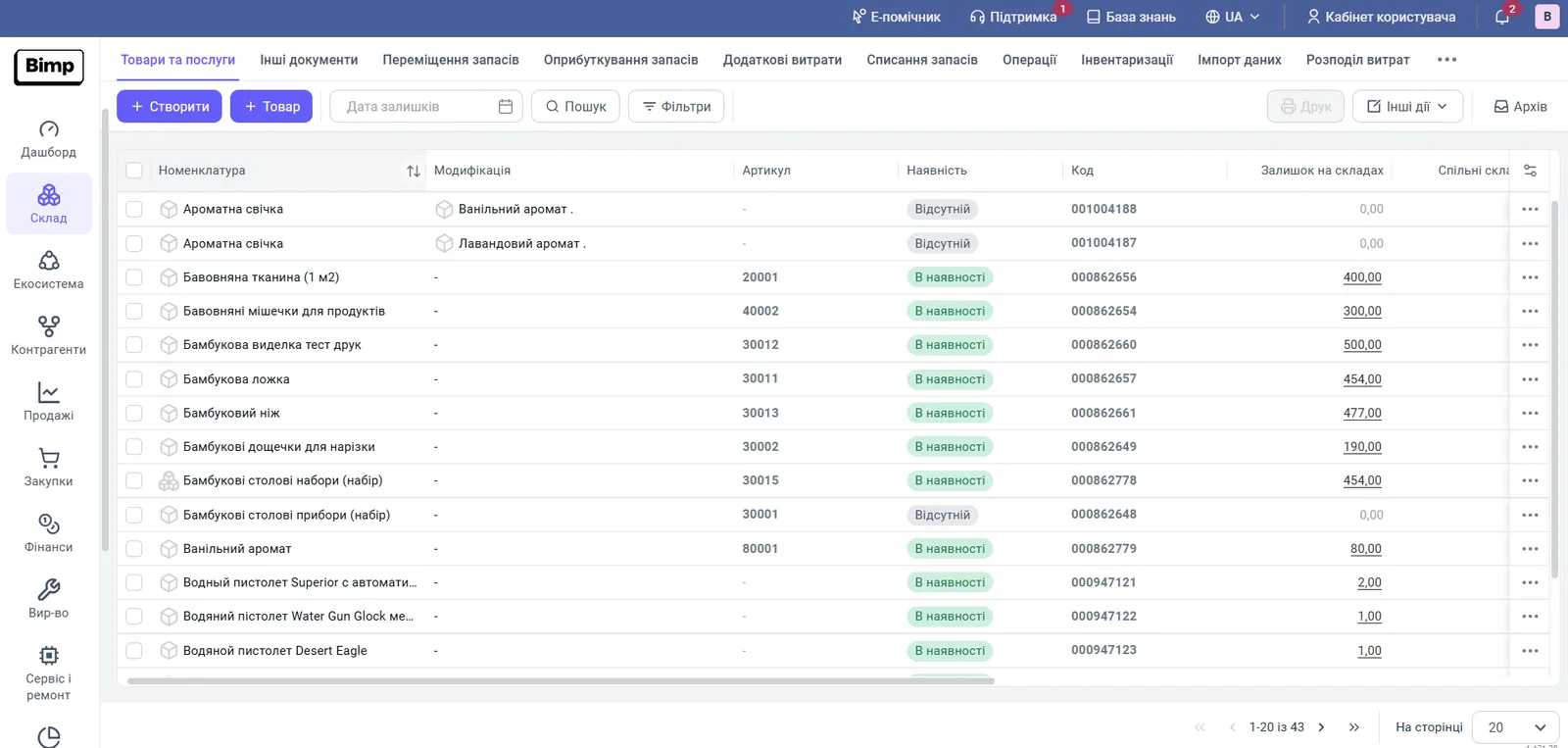
In the “Products and services” list, each modification is shown as a separate row: the “Product” column shows the base product, the “Modification” column shows the variant, and the “SKU”, “Availability” and “Stock in warehouses” columns show the variant’s own values. A product that has modifications is marked with a ”+” sign to the left of its name.
What limits modifications have
- A product with modifications cannot have specifications: if modifications have already been added, the specifications block is not available.
- Do not delete the parent card if its modifications have stock balances. It is better to archive items you no longer need.
- During import products from Excel, modification data is loaded in separate columns of the “Modification” group.
FAQ
When should I use modifications and when separate products?
Use modifications when the main properties of the product are the same and only one variable characteristic differs: size, color, scent, memory capacity.
Can I add a specification to a product with modifications?
No. If modifications have already been added to a product, adding specifications is not available.
What happens if I delete a parent product with modifications?
Do not delete the parent card if its modifications have stock balances: this can cause the loss of data about the availability of specific variants.