
Reconciliation statement with a counterparty: how to create and agree it
On this page
A settlement reconciliation statement shows all transactions with a counterparty for a period and the balance at the start and end. Create it on the "Reconciliation statement" tab of the counterparty card: select the period, organization and contract, click "Update balance", then "Update" in "Reconciliation data" and save.
What a reconciliation statement is
A settlement reconciliation statement is a document that shows all financial transactions with a counterparty for a period: goods receipts, payments, returns. Regular reconciliation helps find missed payments, duplicate invoices and unaccounted returns, and a statement signed by both parties confirms acknowledgment of the debt.
Example. In a month there were 20 shipments and several payments, and the total discrepancy is 100 UAH. The accountant creates a statement for the period, and Bimp pulls in “Goods receipt” and “Supplier payment” documents, so the difference is visible immediately.
How to create a reconciliation statement
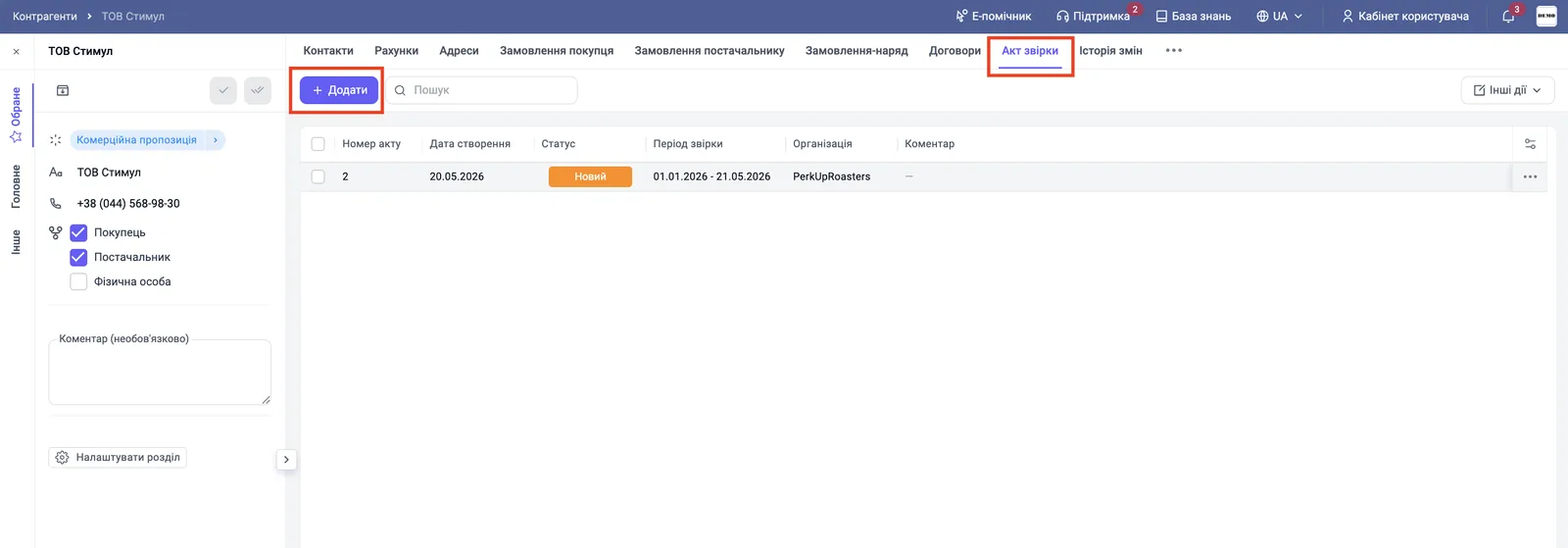
Create the statement in the counterparty card on the “Reconciliation statement” tab.
- Open Counterparties, select the counterparty and go to the “Reconciliation statement” tab.
- Click Add; the panel of the new statement opens on the right.
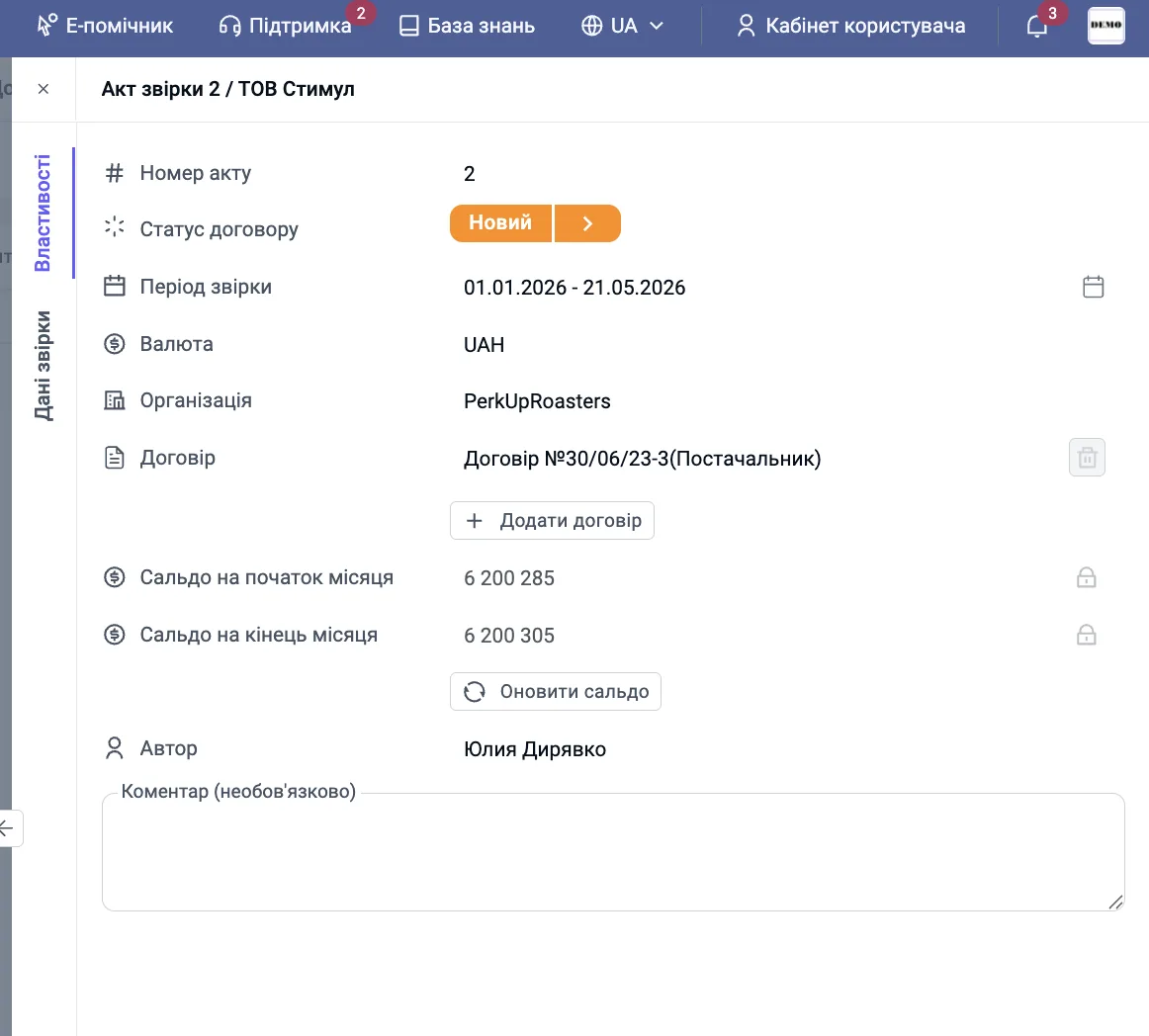
- On the “Properties” tab, select the “Reconciliation period” and the “Organization”.
- Click Add contract and select the contract under which transactions are checked.
- Click Update balance: Bimp calculates the “Balance at the start of the month” and the “Balance at the end of the month”.
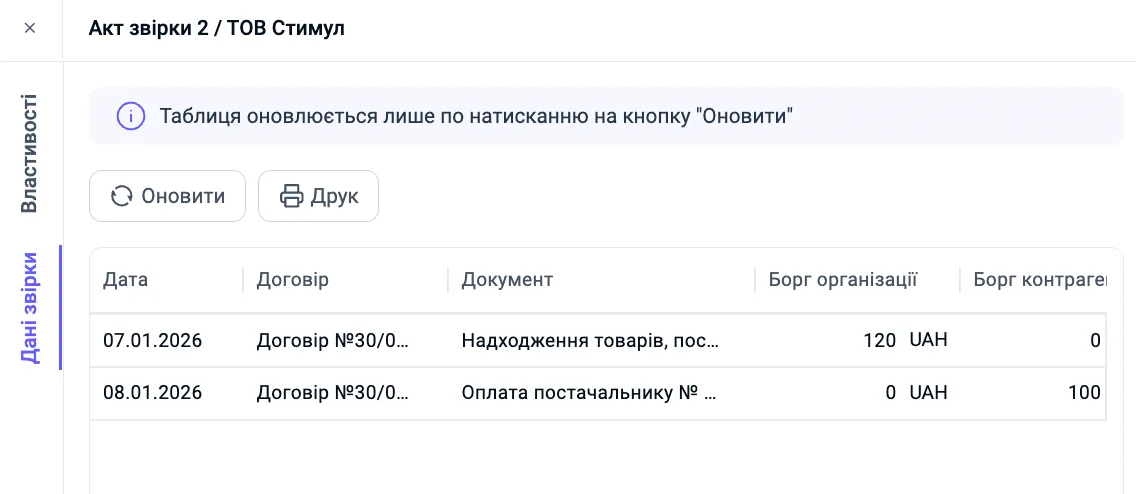
- Go to the “Reconciliation data” tab and click Update. The table fills with posted documents (invoices, payments) for the selected period, organization and contract; the columns are “Date”, “Contract”, “Document”, “Organization debt”, “Counterparty debt”.
- Check the organization’s and counterparty’s debt amounts, add a “Comment” if needed and click Save.
How to work with a created statement
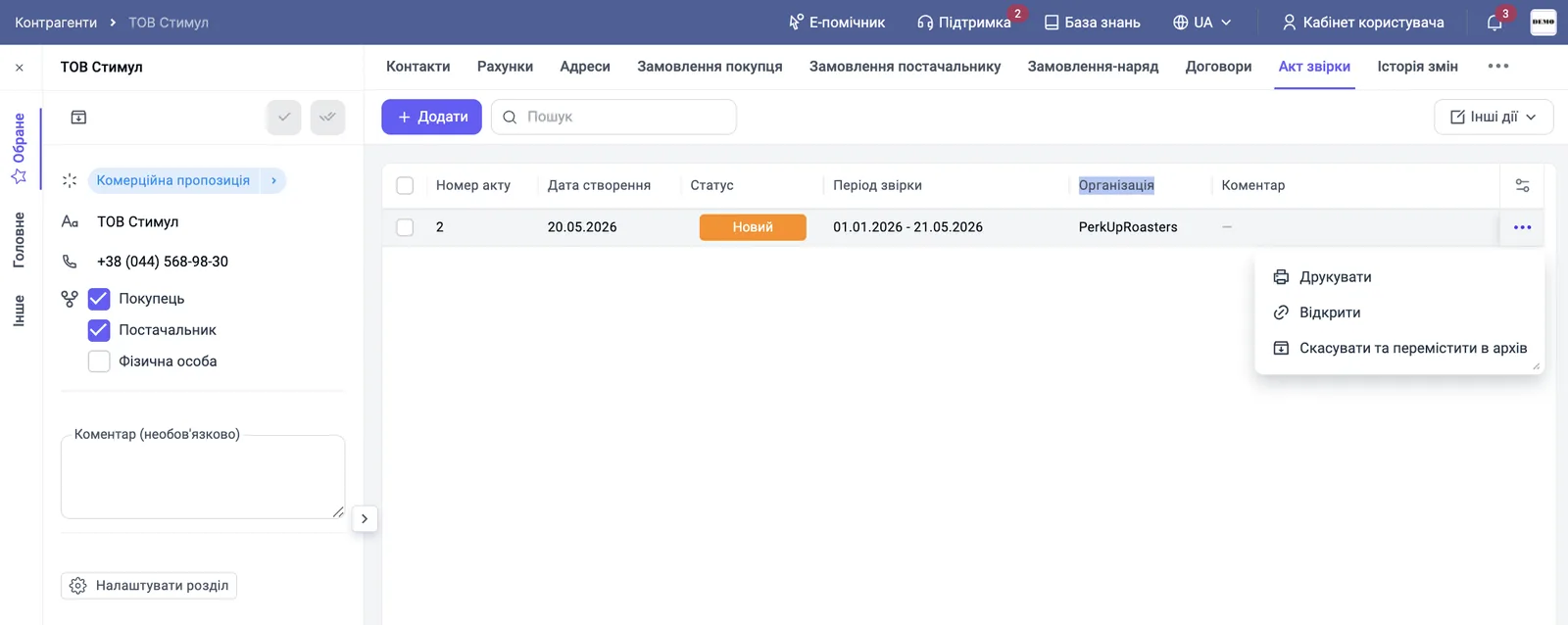
After saving, the statement appears in the list on the “Reconciliation statement” tab. Click the “three dots” next to the statement and select an action.
- “Print” prints or downloads the statement so you can send it to the counterparty by e-mail or in a messenger.
- “Open” shows the statement details.
- “Cancel and move to archive” is for a statement that is out of date or was created by mistake.
What statuses a reconciliation statement has
The statement status in the corresponding field shows the stage of reconciliation.
| Status | Meaning |
|---|---|
| “New” | The statement is created and is being checked inside the company |
| “In progress” | The statement was sent to the counterparty for reconciliation |
| “Completed” | The data of both parties matched, and the statement is signed and agreed |
A reconciliation statement for a subsidiary is created in its card, see Counterparties with subsidiaries.
FAQ
Why is the reconciliation data table empty or out of date?
The table is updated only after you click "Update" on the "Reconciliation data" tab. Click it after changing the period, organization or contract.
What statuses does a reconciliation statement have?
"New" means the statement is created and being checked inside the company, "In progress" means it was sent to the counterparty, "Completed" means the data matched and the statement is signed.
How do I print a reconciliation statement?
In the list of statements, click the "three dots" next to the statement and select "Print". There is also a "Print" button on the "Reconciliation data" tab.