
Customer contract: currency, exchange rate and payment deferral
On this page
A contract in Bimp is not a document but a set of rules for dealing with a counterparty: currency, price list, rate, payment deferral. To create a customer contract, open the counterparty card, the "Contracts" tab, open a project, click "Add", fill in the form and save.
What a contract is in Bimp
A contract in Bimp is a concept, not a document: a set of numeric rules that the system applies automatically to orders and invoices. They include currency, exchange rate, price list and payment deferral days. It is not a scan of a paper contract.
Contracts have the structure Project → Contract: based on one project, you can create an unlimited number of contracts for different situations (different currencies, deferral terms). A contract lets you:
- separate settlements with one customer by line of business;
- control accounts receivable by payment terms;
- fill the correct details into printed forms.
Example. The wholesale customer LLC “Mriya” buys from a USD price list but pays in hryvnias with a 14-day deferral. In the contract you specify the currency USD, the settlement rate “NBU” and a deferral of 14 days. The invoice is converted into hryvnias at the NBU rate, and if there is no payment after 15 days, the debt appears in the “Overdue debt” report.
How to create a customer contract
Create a contract in the counterparty card on the “Contracts” tab or quickly right from an order.
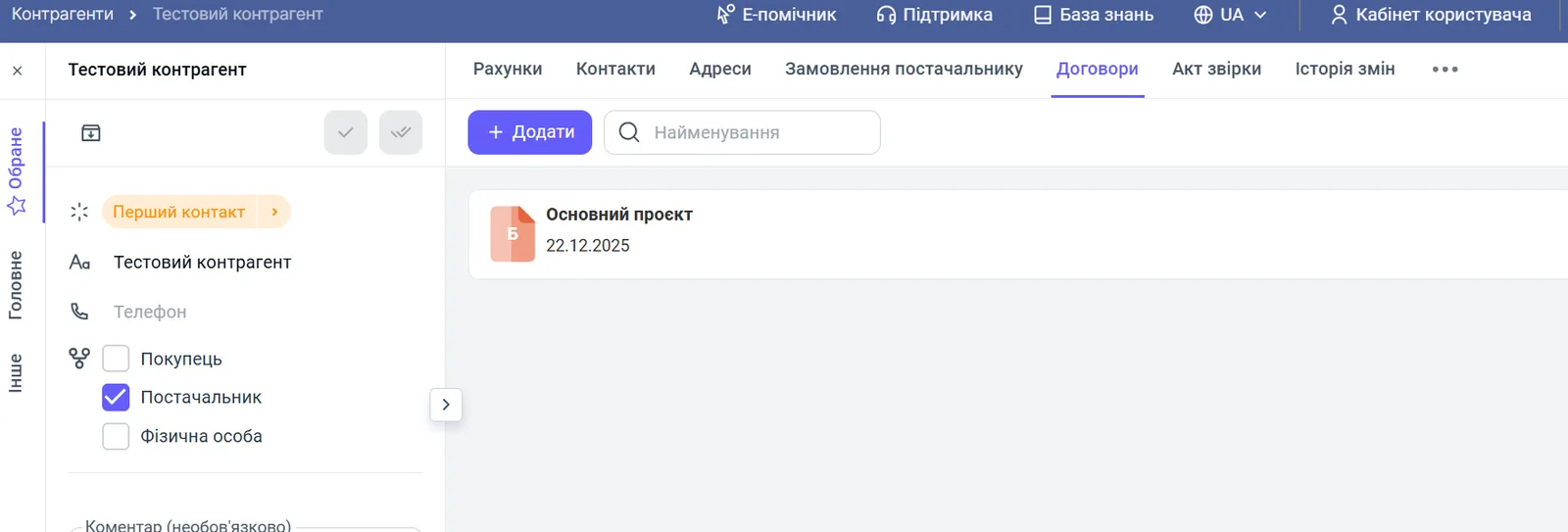
- Open Counterparties, select the customer and go to the “Contracts” tab.
- Open an existing project (for example, “Main project”) or click Add to create a new project.
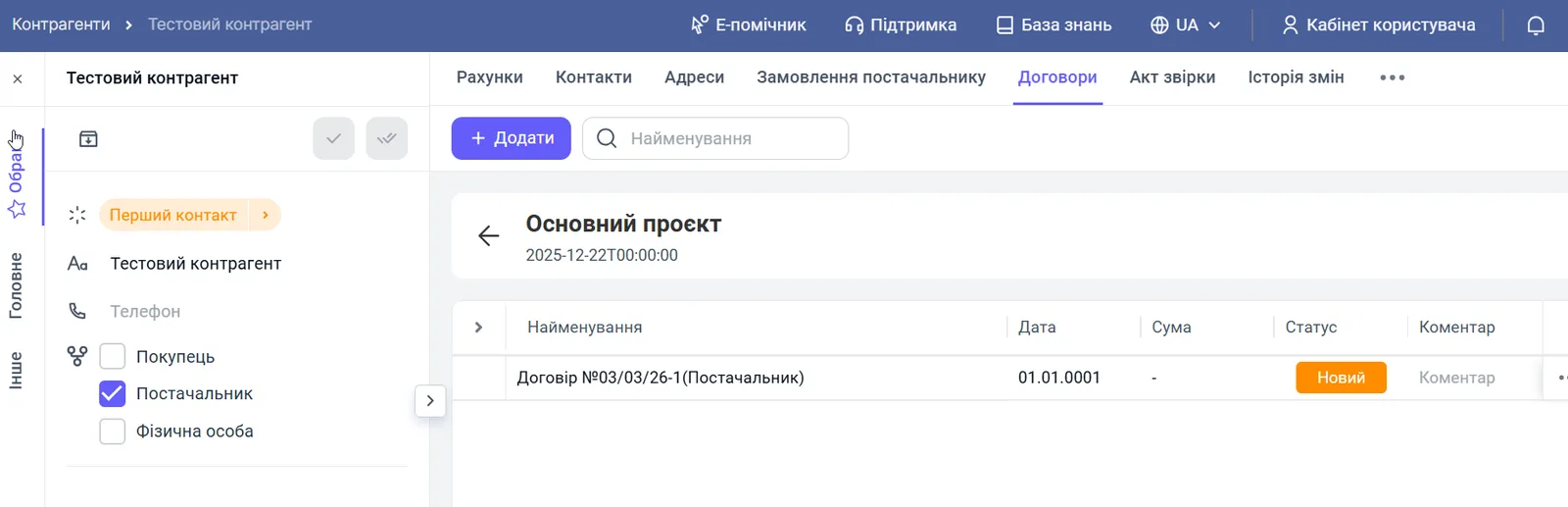
- In the project, open the contract you need or click Add to create a new one. You can create any number of contracts in one project.
- Fill in the contract form (the fields are described below) and click Save.
The quick way: in a customer order, click + at the bottom of the “Contract” drop-down list.
Which fields to fill in a contract
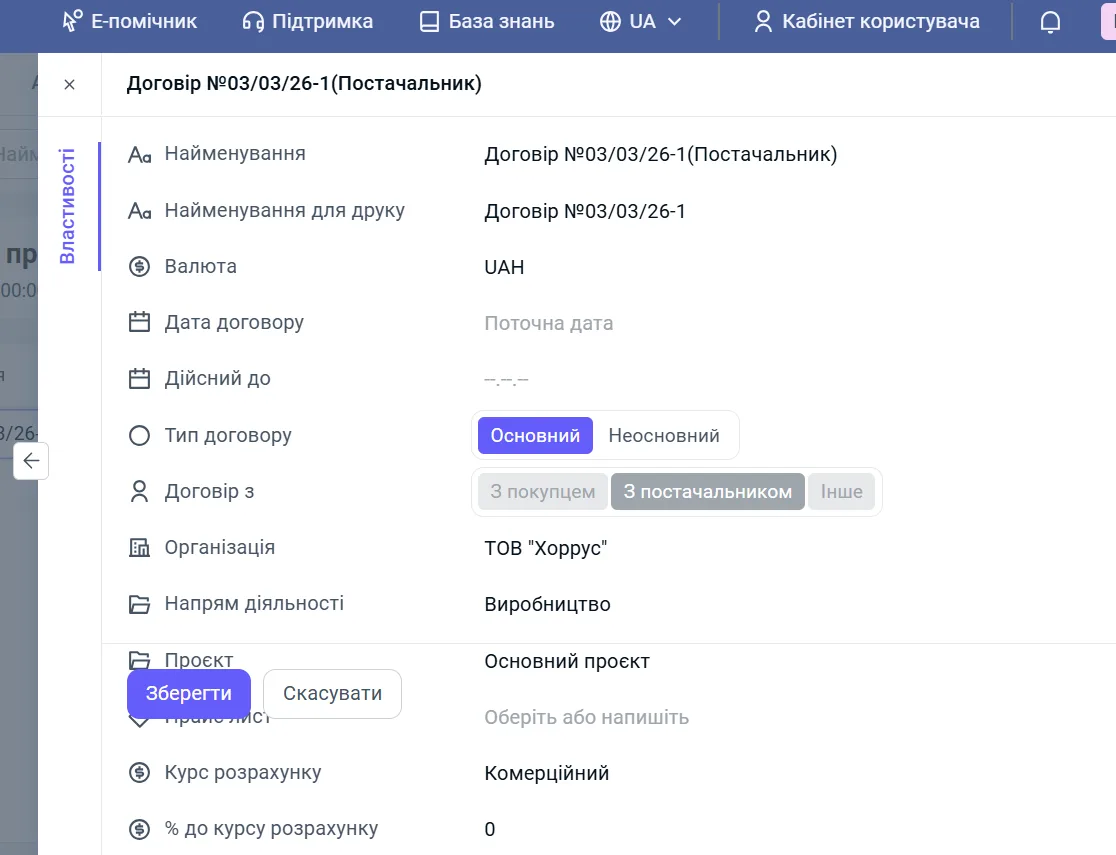
The contract form opens on the “Properties” tab.
| Field | What to specify |
|---|---|
| “Status” | The stage of work under the contract |
| “Name” | An internal name for managers; tip: “Currency + Organization + Price list”, for example “USD_LLC-Promin_Wholesale” |
| “Print name” | The text the customer sees in printed forms, for example “Sales contract No. 10 dated 01.09.2023” |
| “Currency” | The settlement currency under the contract |
| “Contract date” | The start of the contract |
| “Valid until” | The end of the contract; optional |
| “Contract type” | “Main” or “Non-main”; only one contract per counterparty can be main, and it is filled into new documents automatically |
| “Contract with” | “With customer”, “With supplier” or “Other”; for a customer, select “With customer” |
| “Organization” | Your company on whose behalf the work is done |
| “Line of business” | The line of business the contract is assigned to |
| “Project” | The project the contract is created in |
| “Price list” | The price list whose prices are pulled into documents |
| “Settlement rate” | “Commercial”, “NBU” or “Interbank”; needed when the contract currency differs from the price list currency |
| ”% to settlement rate” | A percentage added to the rate |
| “Payment deferral days” | How many days the customer has to pay after shipment |
| “Parent counterparty” | An analytical field, see Counterparties with subsidiaries |
An example of a full contract form (the screenshot shows a supplier contract; the fields for a customer are the same):
How the settlement rate affects the price
The settlement rate lets you automatically get a price in hryvnias even if the price list is in a foreign currency: price = rate + your percentage. Rate settings are described in detail in Individual exchange rate in a contract. Price lists are covered in Price lists.
What happens after saving
After saving, the contract appears in the project on the “Contracts” tab and becomes available in the “Contract” list of a customer order. The main contract is filled in automatically, and prices, rate and deferral are applied to documents, see Customer order. A supplier contract is set up in a similar way, see Supplier contract.
FAQ
Is a customer contract required to create an order?
A contract stores the terms of cooperation (currency, price list, payment deferral) and is filled into the order automatically. If a contract with the customer already exists, the "Contract" field in the order is filled in by itself.
Why does the customer's debt not appear in the "Overdue debt" report?
Most likely the "Payment deferral days" field is not filled in the contract. The report calculates overdue amounts by this field, so without it the debt is not considered overdue.
How many contracts can I create for one counterparty?
As many as you need: the number of contracts in one project is unlimited. You can have separate contracts for different currencies, price lists and deferral terms.
How do I keep the contract name out of printed forms?
Enter a space in the "Print name" field. The field is required, so it cannot be left empty.