
Subscription payment and invoice in your account
On this page
To pay for a subscription, open "User account → Subscription", choose a plan and click "Subscribe", enter the number of users and years, select "Online card payment" or "Bank transfer" and click "Proceed to payment". Issue the invoice from the owner's account: funds are credited to the account the invoice was created from.
When you need this
You set up a subscription yourself when the current subscription is about to end, when you want to switch to a longer period (a year is cheaper) or when you need more users. The invoice is generated in the account without contacting managers.
Before you start
- Sign in to the company owner’s account: the owner should pay for the subscription.
- Access to the “User account” section is usually available to the owner and users with the “Administrator” role.
How to set up a subscription and issue an invoice
- In the top menu (top right corner) open User account and go to the Subscription tab.
- Choose a plan and click Subscribe.
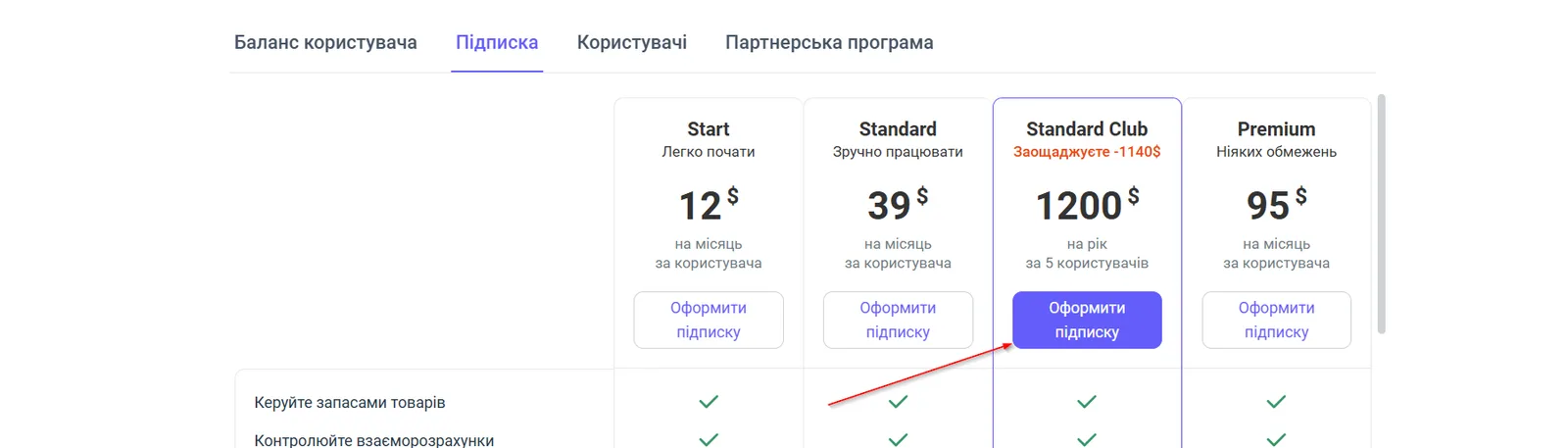
- In the form, enter the “Number of users” and “Number of years” (payment period). The “Calculation in USD” switch shows the amount in dollars or hryvnias.
- Check the calculation: the plan, the number of users, the number of years and the “Amount due”.
- Choose a payment method:
- Online card payment: the system redirects you to a card payment page;
- Bank transfer: the invoice will be sent to your email.
- Click Proceed to payment.
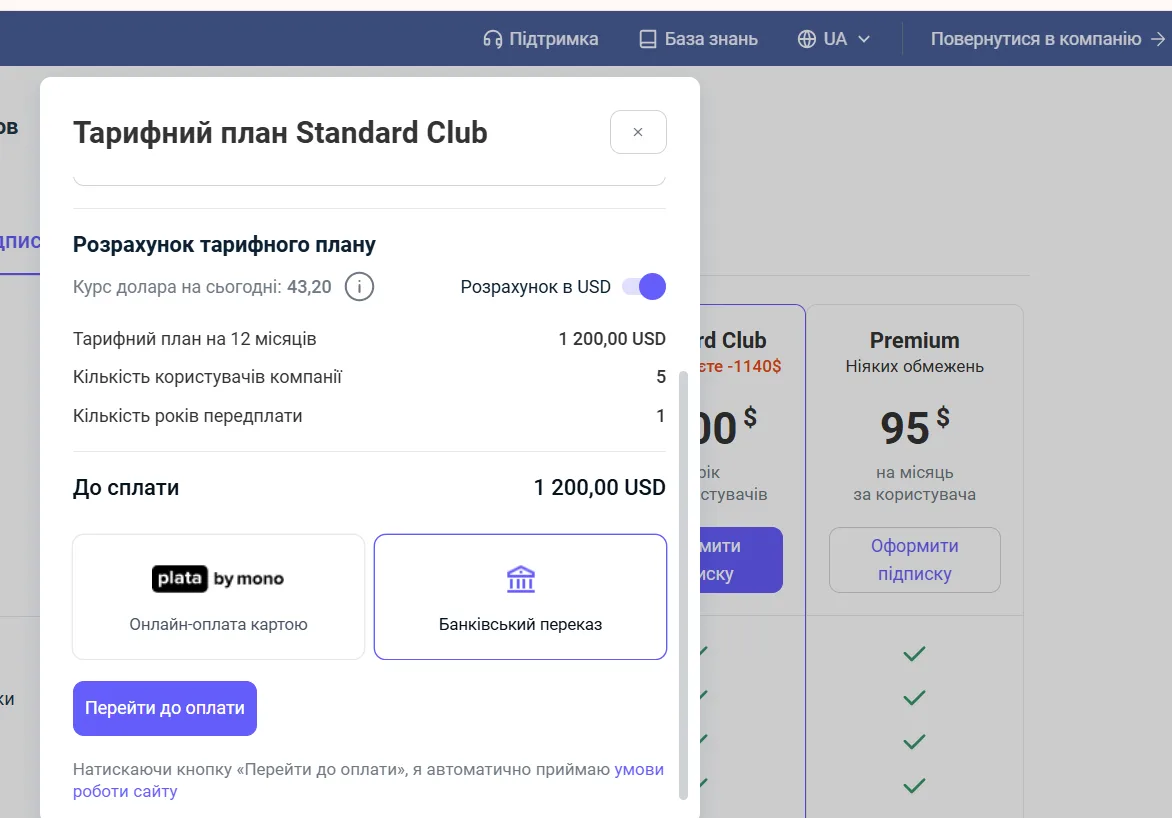
The invoice is issued in hryvnia at the interbank rate on the day of issue.
How long crediting takes
Pay the invoice a few days before the subscription ends: crediting through a bank can take up to 3 business days. Online card payments are credited instantly. Paying for 12 months or longer gives additional discounts.
FAQ
Who can pay for a subscription?
The account owner should pay for the subscription. If another user issues the invoice, the funds are credited to that user's account, so issue the invoice from the owner's account.
What currency is the invoice issued in?
The invoice is issued in hryvnia (UAH) at the interbank rate on the day of issue. The "Calculation in USD" switch only shows the amount in dollars.
How long before the subscription ends should I pay?
A few days ahead: crediting of funds through a bank can take up to 3 business days.
Is there a discount for a long payment period?
Yes, when you pay for a period of 12 months or more, Bimp gives additional discounts.