
Projects and lines of business: how to set up accounting dimensions
On this page
Projects and lines of business are two accounting dimensions in Bimp that separate sales, production, and finance inside one company. Create them in "Directories" ("Projects", "Lines of business"), specify a parent item if needed, and then choose them in documents. By default there are "Main project" and the line of business "Main".
How projects differ from lines of business
A line of business separates the company’s business processes, and a project details them down to specific initiatives. Both directories give a dimension for reports: you can see revenue, expenses, and profit separately.
| Line of business | Project | |
|---|---|---|
| What it is | An area or format of business: wholesale, retail, production | A specific product, service, site, campaign, or contract |
| By default | “Main” | “Main project” |
| Hierarchy | The “Parent line of business” field | The “Parent project” field |
| Special | The type “Main” / “Non-main” | Project manager and the “Document register” tab |
Example. A company sells fabrics wholesale and retail. Lines of business: “Wholesale” and “Retail”. Projects: “Dnipro store” and “Kherson store”, and inside “Dnipro store” the subprojects “Gym cafe” and “Supermarket cafe”.
How to create a line of business
A line of business is created in the “Lines of business” directory.
- Open Directories → Lines of business and click Create.
- In the top row, enter a name, for example “Retail”. Add a “Comment” if needed.
- In the “Parent line of business” field, choose a parent group if you are creating a subgroup. For a parent line of business, leave the field empty.
- The “Code” field is filled in automatically and cannot be edited; it is not used anywhere except the card.
- In the “Type” field, choose Main or Non-main. A line of business with the type “Main” is filled into all documents automatically; in a document it can be changed.
- Click Save.
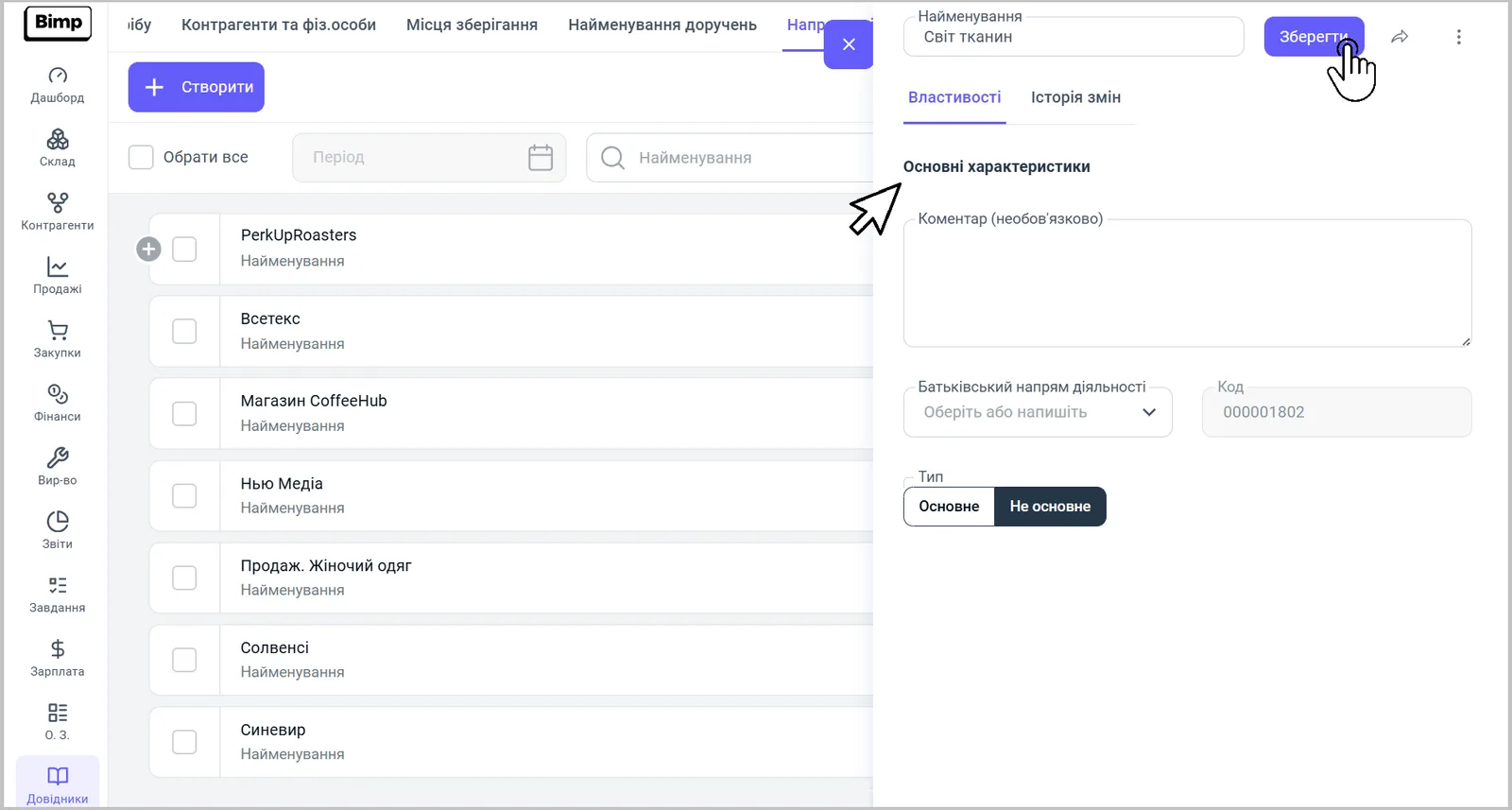
Lines of business are convenient when you work in several formats at once: wholesale and retail, several stores, production together with distribution. For a line of business you can choose the warehouse automatically.
How to create a project
A project is created in the “Projects” directory.
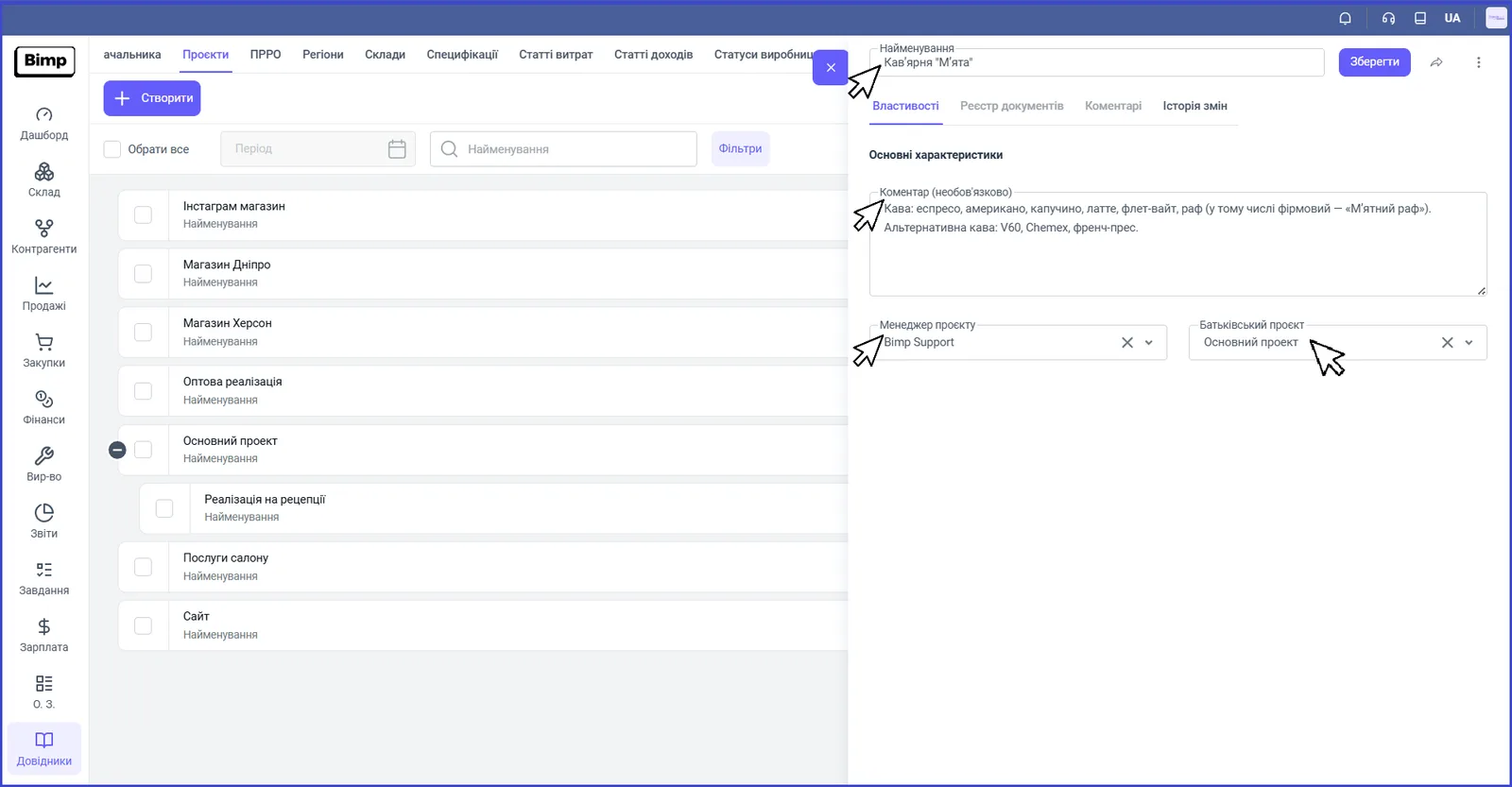
- Open Directories → Projects and click Create.
- In the “Name” field, enter a name by which the project is easy to find.
- In the “Comment” field (optional), describe the specifics of the project.
- In the “Project manager” field, choose the responsible employee.
- In the “Parent project” field (optional), choose the main project to build a hierarchy. A ”+” sign is shown in the list next to a project that has child items.
- Click Save.
How to view a project’s documents
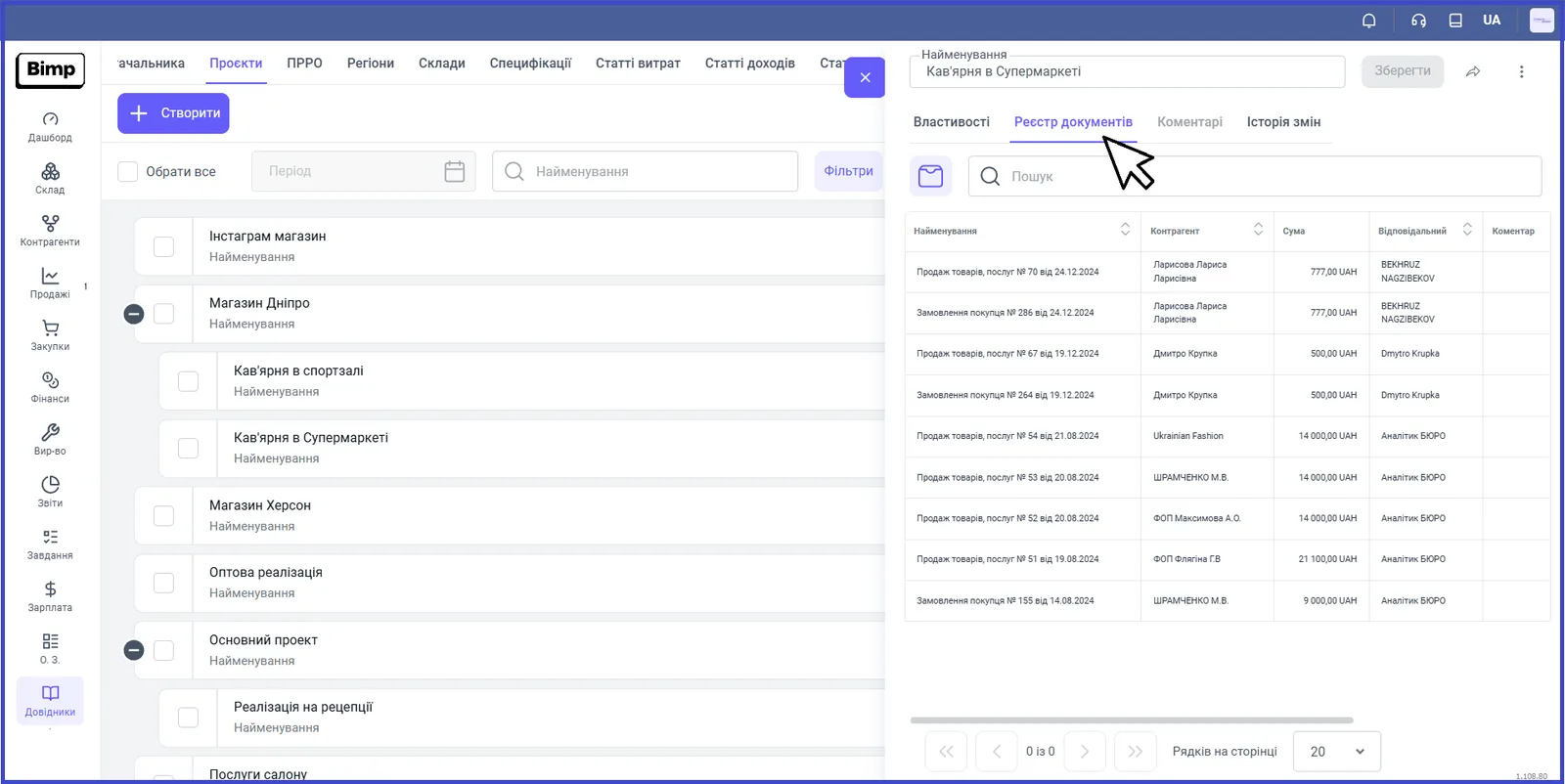
After a project is created, its card gets a “Document register” tab, which collects all documents created for this project. The table shows the columns “Name”, “Counterparty”, “Amount”, “Responsible”, and “Comment”, and there is a search row above it.
If you hover over an order in the register, a panel of icons appears for creating documents based on it: customer return, additional costs, piecework payroll. See Creating a document based on another.
What this is for in accounting
Projects and lines of business let you keep accurate records of financial and material flows for each dimension. This is useful if you run several lines or projects in parallel: construction sites, IT products, ad campaigns, stores, grant programs, or customer contracts. In documents (for example, in a customer order) you choose a line of business, and reports, including Income and expenses, let you see the result for each of them.
FAQ
How is a project different from a line of business?
A line of business separates the company's business processes (wholesale and retail, stores, production) and lets you see the result for each line. A project is a specific initiative, product, or service you work on with counterparties; the project card has a register of all related documents.
Which project and line of business are created by default?
The project "Main project" and the line of business "Main".
What is the "Main" type of a line of business for?
A line of business with the type "Main" is filled into all documents automatically. In a document it can be replaced with another one from the list.
Can I create subprojects?
Yes. In the "Parent project" field, choose the main project; a "+" sign appears next to it in the list, and reports can be viewed both for the main project and for each subproject.