
Connecting a PrivatBank account via API
On this page
For Bimp to receive statements from a new PrivatBank account automatically, open the account card in the "Banks/Bank accounts" directory, go to the "Integration" tab, choose the Privatbank integrator, paste the token (Autotoken) from the bank's online account and click "Save".
When you need the API connection
The API connection is needed so that Bimp receives bank statements from a PrivatBank account automatically. You do it separately for each new account, because the integration is set up in the card of a specific account. For a general overview of bank integration, see Automatic exchange with banks.
Before you start
- The account must already exist in Directories → Banks/Bank accounts - see Bank accounts and cash desks.
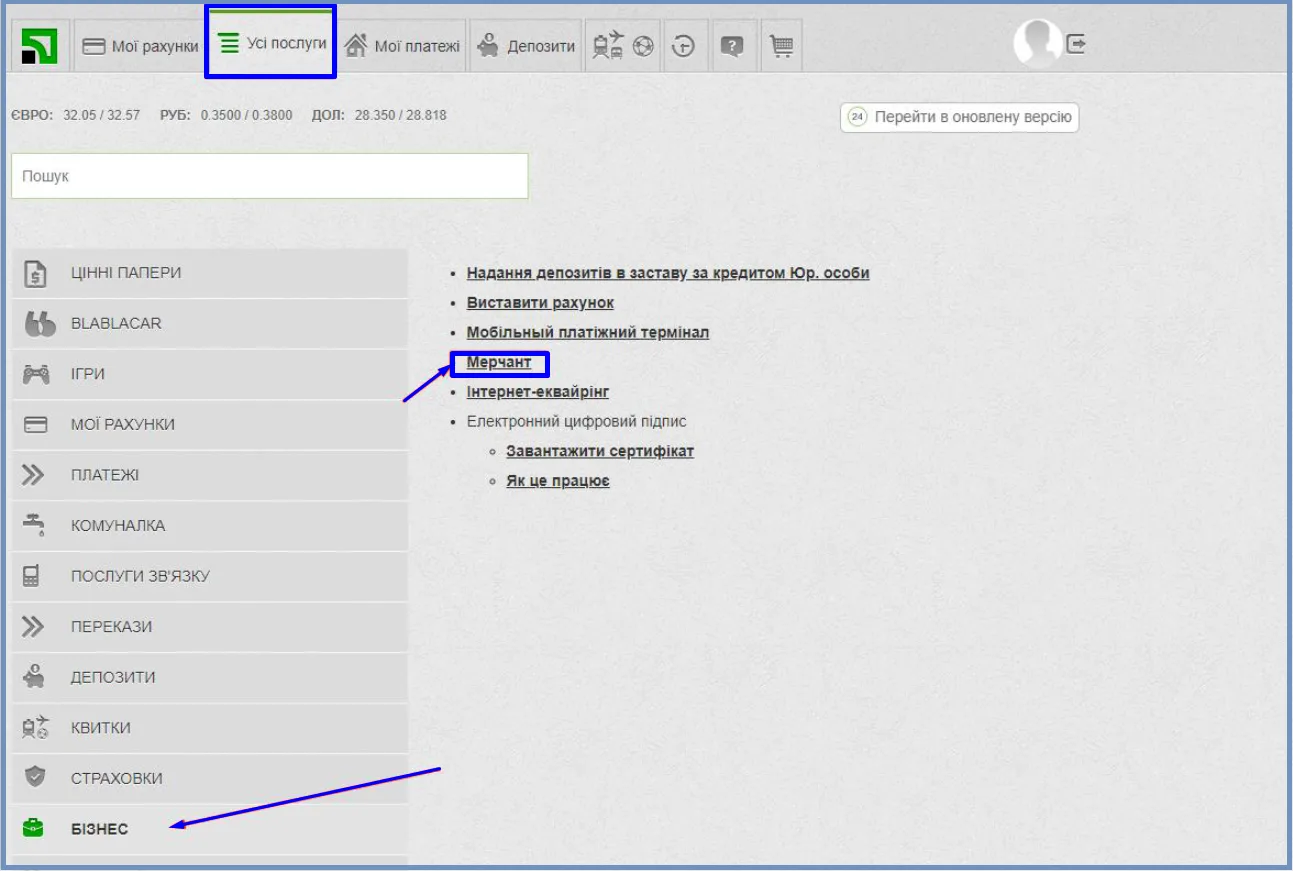
- In your PrivatBank online account, create a merchant: in the “All services” section open “Business” and then the “Merchant” item. Ask the bank’s support for the exact procedure.
- Generate a token (Autotoken) in the API settings of the bank app.
How to connect the account
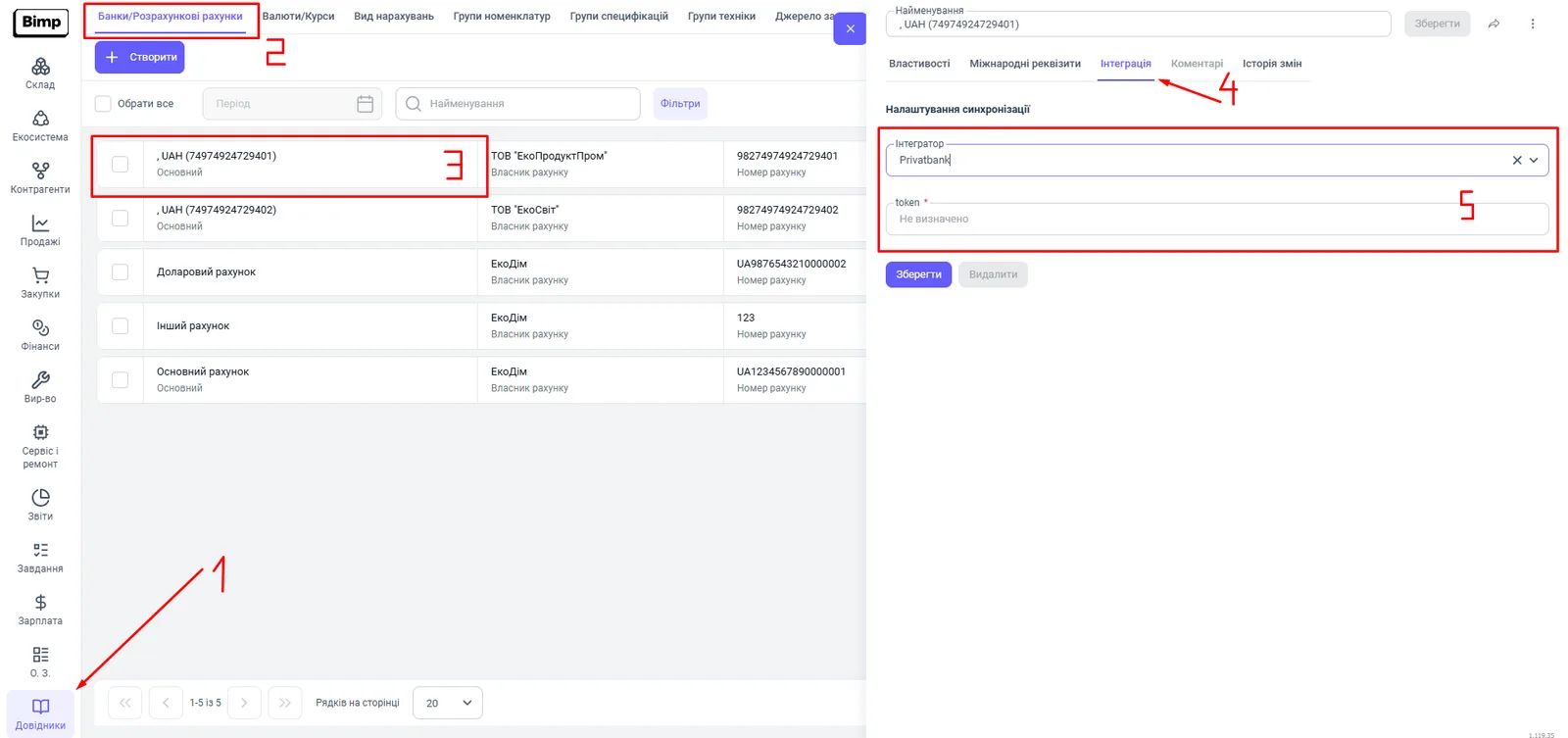
- Open Directories → Banks/Bank accounts and choose the account you need.
- Go to the “Integration” tab.
- In the “Integrator” field, choose Privatbank.
- In the “token” field, paste the token (Autotoken) generated in the bank’s online account.
- Click Save - synchronization is activated.
How to get a statement after connecting
Open the Finance section, click Client-bank, choose the account and the “Period”, and save - details are in Automatic exchange with banks. Allocate the received transactions to documents: Allocating bank statement transactions.
Common problems
I cannot find where to generate the token. The token is created in the API settings of the bank app. If the section is missing, contact PrivatBank support.
The statement does not load after saving the token. Check that a merchant has been created in the bank’s online account, and that the token was pasted without extra spaces into the card of exactly the account you need the statement from.
FAQ
Where do I get the PrivatBank token for Bimp?
In the API settings of your bank app or PrivatBank online account. If you do not see a section for generating the token, contact the bank's support.
Do I need to do anything in PrivatBank before connecting?
Yes, you need to create a merchant in the bank's online account. Ask PrivatBank support for the creation procedure.
What should I do if I opened a new PrivatBank account?
Create a separate account for it in the "Banks/Bank accounts" directory in Bimp and set up the integration in its card following these instructions.