
Nova Poshta: connecting the integration to Bimp
On this page
The Nova Poshta integration lets you create waybills from a customer order and see the waybill number and status in the order. To connect it, open "Settings → Integration", click "Create integration", choose "Nova poshta", enter a name and the API key from your Nova Poshta online account, and save.
What the Nova Poshta integration does
The Nova Poshta integration lets you create express waybills based on a customer order and see the waybill number and status in the order itself. This speeds up warehouse work: the manager does not copy customer data into the carrier’s account manually. Creating the waybill itself is described in Creating a Nova Poshta waybill from an order.
Before you start
You need a Nova Poshta online account where you will create the API key. If you ship on behalf of several organizations or with several responsible persons, prepare a key for each.
How to create an API key in Nova Poshta
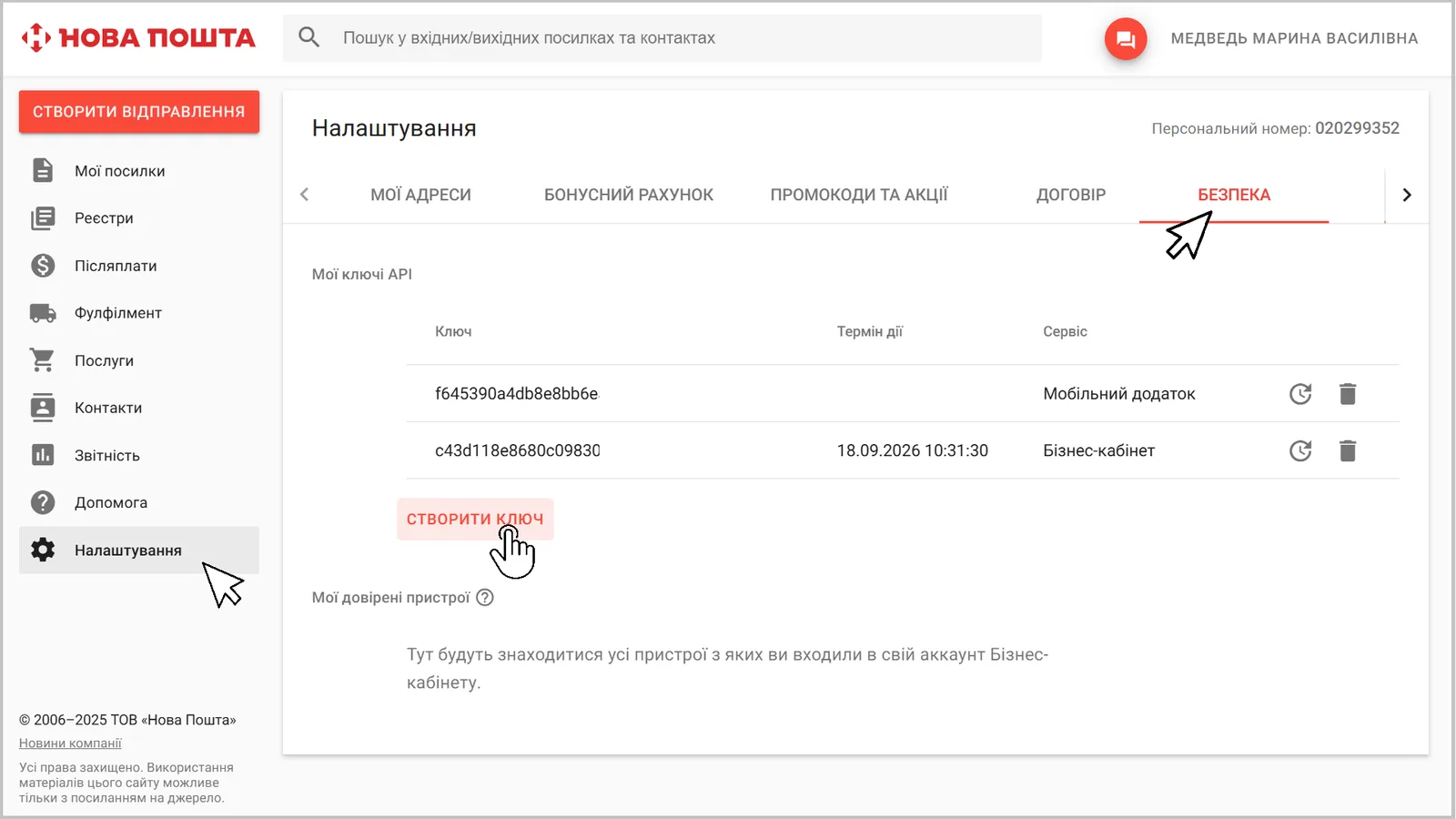
- Open your Nova Poshta online account.
- Go to “Settings” → “Security”.
- Click Create key and copy it.
How to connect the integration in Bimp
-
Click the account icon, open Settings and go to the “Integration” tab.
-
In the “Integration systems” block, click Create integration and choose Nova poshta.
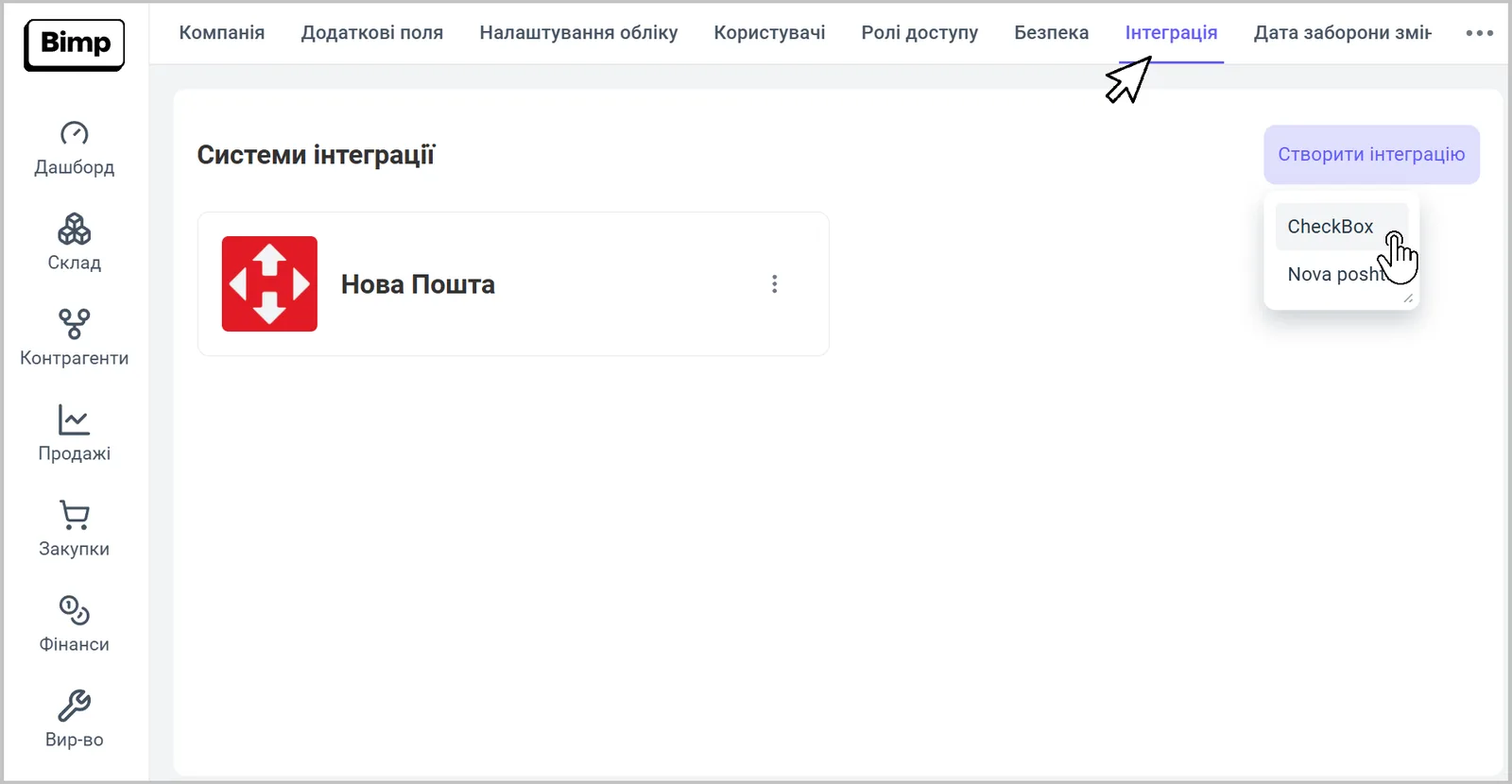
-
In the integration card, enter the “Name” and the “API key”.
-
Click Save.
How to connect several senders
Create a separate integration for each organization or responsible person (sender): repeat the steps from the previous section with a different name and API key. When you create a waybill, the “Integration” field is filled in with the sender of the corresponding integration.
What to do next
After saving the integration, you can create waybills from a customer order - see Creating a Nova Poshta waybill from an order, and for several orders at once - Bulk printing of Nova Poshta waybills. To have recipient data filled in automatically, complete the counterparty card.
FAQ
Where do I get the Nova Poshta API key?
In your Nova Poshta online account: "Settings" → "Security" → "Create key".
Can I connect several Nova Poshta accounts?
Yes. You can create several integrations: a separate one for each organization or responsible person (sender).
What does the Nova Poshta integration do?
It creates waybills from a customer order and shows the number and status of the waybill linked to the order.