English
 Polski

Product costing software for manufacturers
See what every product and every order really costs. Bimp is product costing software that builds cost price from three sources: materials per the specification, pay for completed operations, and the production costs you assign to products. Planned cost comes from the specification. Actual cost is formed at production output.
What the manufacturing cost accounting software calculates
From costing a single product to allocating workshop rent: every cost component enters the system as a document and stays visible in reports.
Actual cost at production output
Piecework pay in the cost price
Indirect cost allocation
Accumulated cost per order
Material overuse control
What makes up cost price in Bimp
Product cost consists of materials, labor and other production costs. Bimp takes each part from a document, so production cost calculation no longer lives in a separate spreadsheet. For food producers, the specification works as a recipe, which makes Bimp recipe costing software too.

Materials
Components and quantities come from the specification (routing card), including the process loss percentage. At output, materials are written off at cost: FIFO when batch tracking is on, weighted average cost otherwise.
Labor
Pay for completed operations is accrued by the “Piecework pay” document, created automatically when an Assembly is posted. The amount goes straight into the product’s cost price. Learn more about piecework pay.
Other production costs
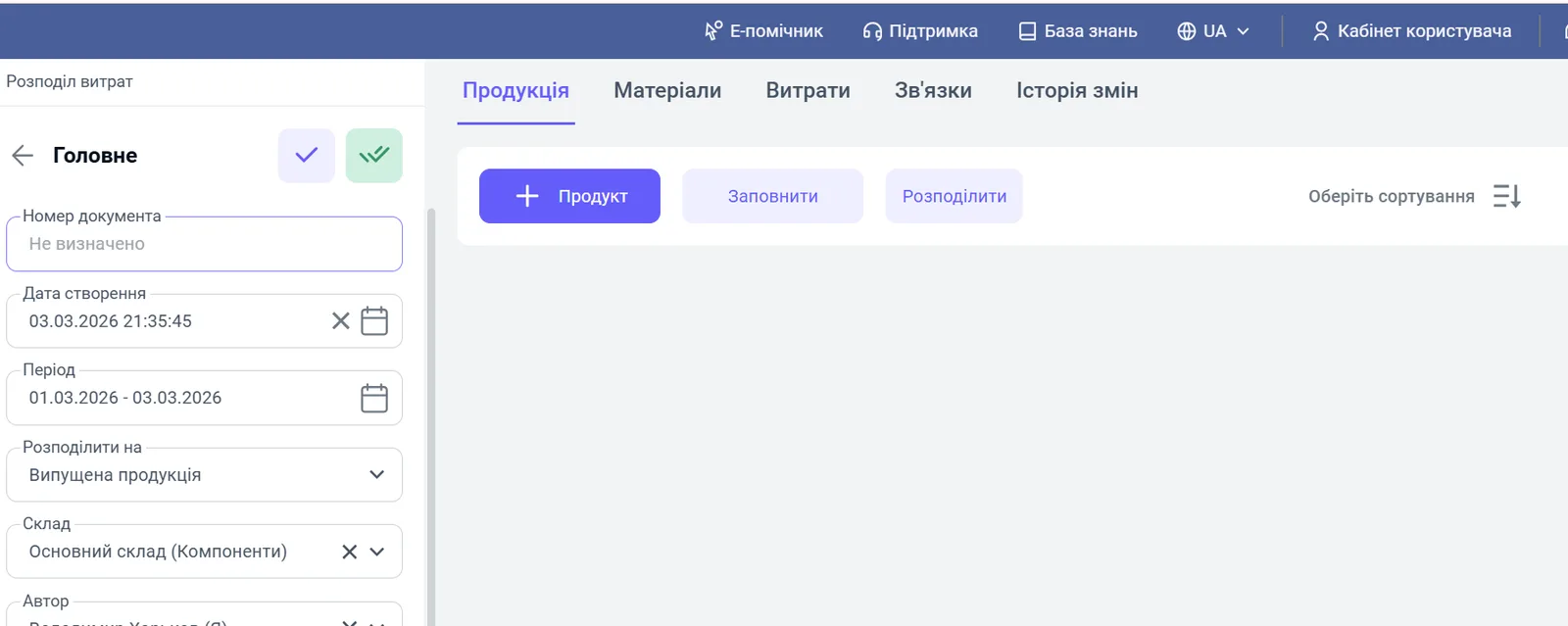
Workshop rent, electricity, supervisor salaries, consumables: you accumulate them to cost price and allocate them to finished products with the “Cost allocation” document, by amount or by quantity. Costs not yet allocated show up in work in progress accounting.
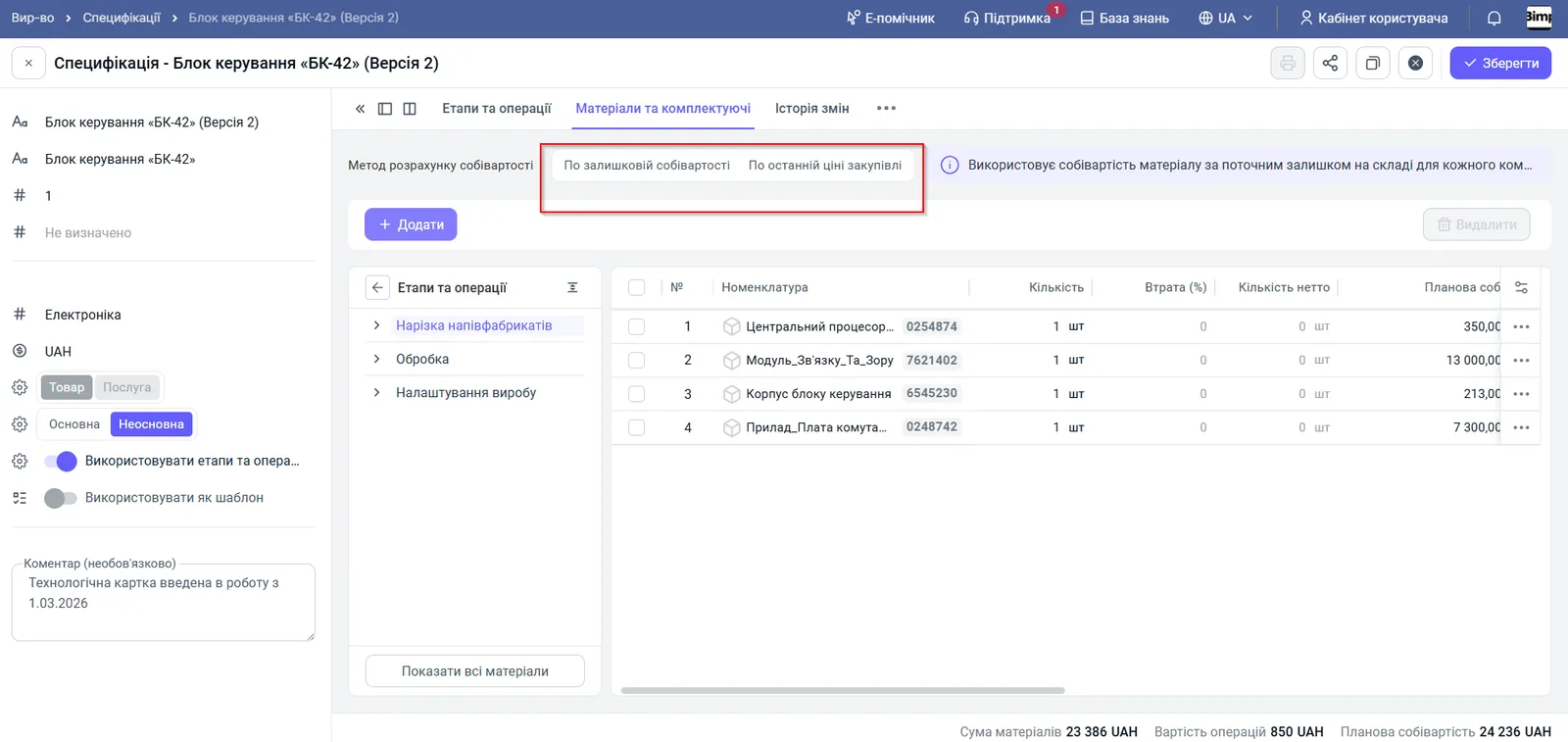
Add delivery or customs costs to a material’s purchase price: Bimp spreads them across the units and includes them in cost price.
How it works on a single order
An order takes five steps from costing to unit cost. Each step is recorded by a document, and the result shows up in a report.
Specification: planned cost
Production order
Assembly: material write-off and output
Piecework pay and cost allocation
Report: cost per unit
A made-up example, figures for illustration only. The workshop made 10 tables: materials $1,800, piecework pay $500 (10 tables at $50), share of workshop rent and electricity $200. Total $2,500, so one table costs $250. Bimp shows this figure in the “Cost price of manufactured products” report.
Manufacturing ERP softwareProduct costing FAQ
How does Bimp calculate product cost?
Product cost is the value of materials per the specification, pay for completed operations and the costs you assigned to cost price. Materials are written off by FIFO when batch tracking is on, or at weighted average cost when there are no batches.
What is the difference between planned and actual cost?
Planned cost is calculated in the specification: each material has a “Planned cost price” column, and you choose the method, residual cost or last purchase price. Actual cost is formed in the Assembly from the materials written off and the operations completed. The knowledge base has no separate plan-vs-actual report: you compare the specification costing with the “Cost price of manufactured products” report.
Are employee wages included in cost price?
Yes, if they are accrued by the “Piecework pay” document. Bimp creates it automatically when an Assembly with operations is posted and adds the amount to the product’s cost price. A regular “Salary accrual”, by contrast, books wages as period expenses.
How do I account for workshop rent and electricity?
First accumulate these indirect costs to cost price with “Other expenses” or “Goods receipt” documents, then move them to products with the “Cost allocation” document. You can allocate by amount or by quantity.
Can I see an order’s cost before it is complete?
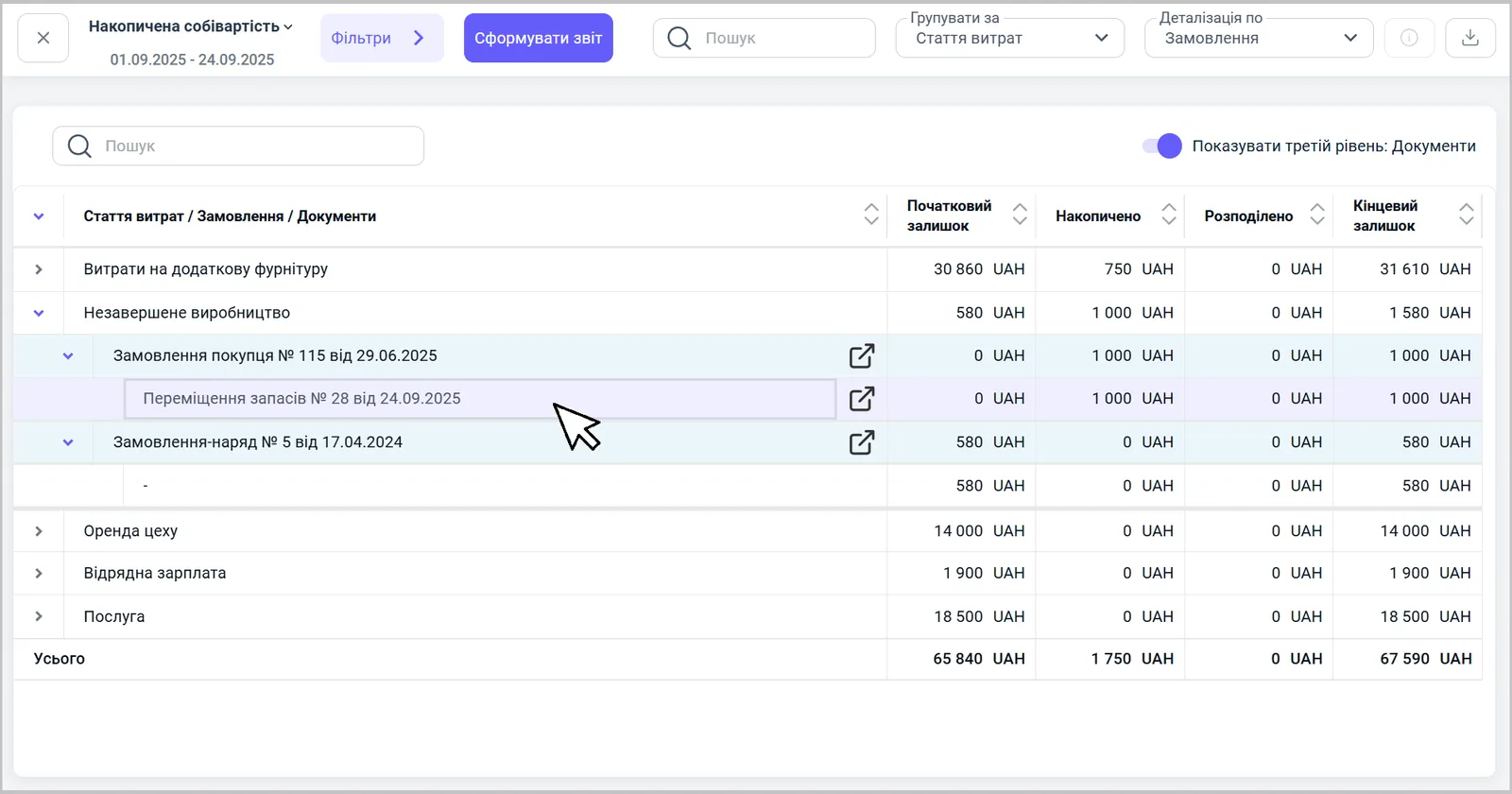
Yes. The “Accumulated cost” report shows how much cost has built up on an order, how much is already allocated to products and how much remains in work in progress.
What if a material receipt had the wrong price?
Correct the receipt and repost it: cost price in past sales and output is recalculated. The “Cost price recalculation” guide in the knowledge base explains how.
Where do I see the unit cost of a finished product?
In the “Cost price of manufactured products” report, your cost of goods manufactured per item. For each product it shows the specification, the quantity of materials used, their value and the cost of one unit. You can expand a product’s materials down to the last level.
See your product’s cost in Bimp
Book a Bimp ERP demo: we will show how our costing software for manufacturing calculates cost price on your product and your process.
Not ready to talk? Get the PDF for your team .
More on product costing
Production accounting in practice
How to allocate workshop rent and electricity to products
Indirect costs cannot be tied to a single product when they occur: they belong to the workshop as a whole. An example: in a month you paid $2,000 for workshop rent and $500 for electricity, and the workshop made 100 chairs and 20 tables. The “Cost allocation” document moves this $2,500 to the products, and Bimp adds a share to the cost price of each item. You pick the allocation base: “By amount” when pricier products should take a bigger share, or “By quantity” when costs split equally per unit. If the allocated total does not match the costs, the system will not post the document.
How piecework pay gets into cost price
When an Assembly is posted, Bimp creates a “Piecework pay” document from the operations in the specification. An example: the operations “Frame assembly” ($300) and “Calibration” ($100) add up to $400, charged to the product’s cost price. The worker gets the accrual, and cost price grows by the same amount with no manual allocation.
How to control material overuse
In the specification, set a minimum and maximum write-off quantity for a material. In the production order, deviations from the norm appear on a separate tab and the document still saves. In the Assembly, control is strict: saving is blocked until the quantity is back within limits, and only an administrator or the account owner can approve a deviation. Overuse never inflates cost price unnoticed.
What to do when receipt data is corrected later
A wrong price or quantity in a receipt changes the cost of products that already used that material. Repost the corrected receipt, and cost price in past documents is recalculated. A checkbox in the accounting settings decides whether VAT is part of cost price: without it, VAT is collected separately as input VAT.
Knowledge base guides
Step-by-step guides on this topic in the Bimp knowledge base: