
Assembly: recording production output and writing off materials
On this page
Assembly is the final production document in Bimp: when posted, it writes off materials from the warehouse, posts the finished product and forms its cost price. Create it based on a production order (the "Create based on" button) or manually in "Production → Assembly", check the products, materials and operations, and save.
What assembly does
Assembly records the fact that products were made or a repair was performed. When posted, it simultaneously:
- writes off the materials and components used from the warehouse and posts the finished products;
- combines the costs of materials and work into the product’s cost price;
- accrues piecework pay to own employees if the specification contains operations, and creates a supplier order for outside performers (outsourcing).
Example: a furniture company makes a kitchen table. When the assembly is posted, the tabletop, legs and fittings are written off from the warehouse, the finished table is posted to the warehouse, and the assembler is accrued piecework pay. How the two production methods relate is described in the production overview.
Assembly can also be created automatically: a production task creates it when the statuses “Semi-finished” and “Product” are set.
Before you start
Create and check the specifications: the accuracy of write-off and cost price depends on them. It is most convenient to create an assembly from a production order: products, materials and operations are carried over automatically.
How to create an assembly
-
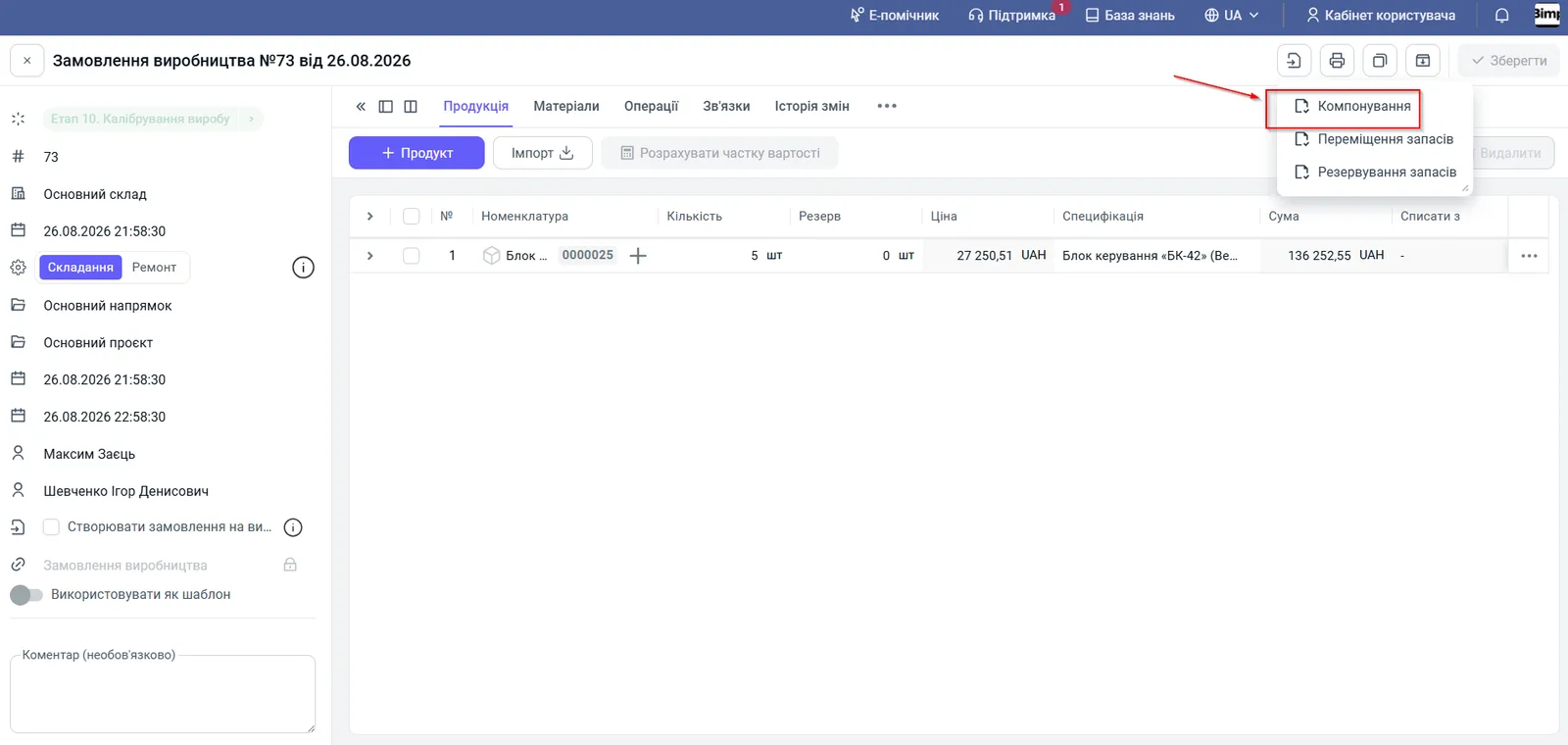
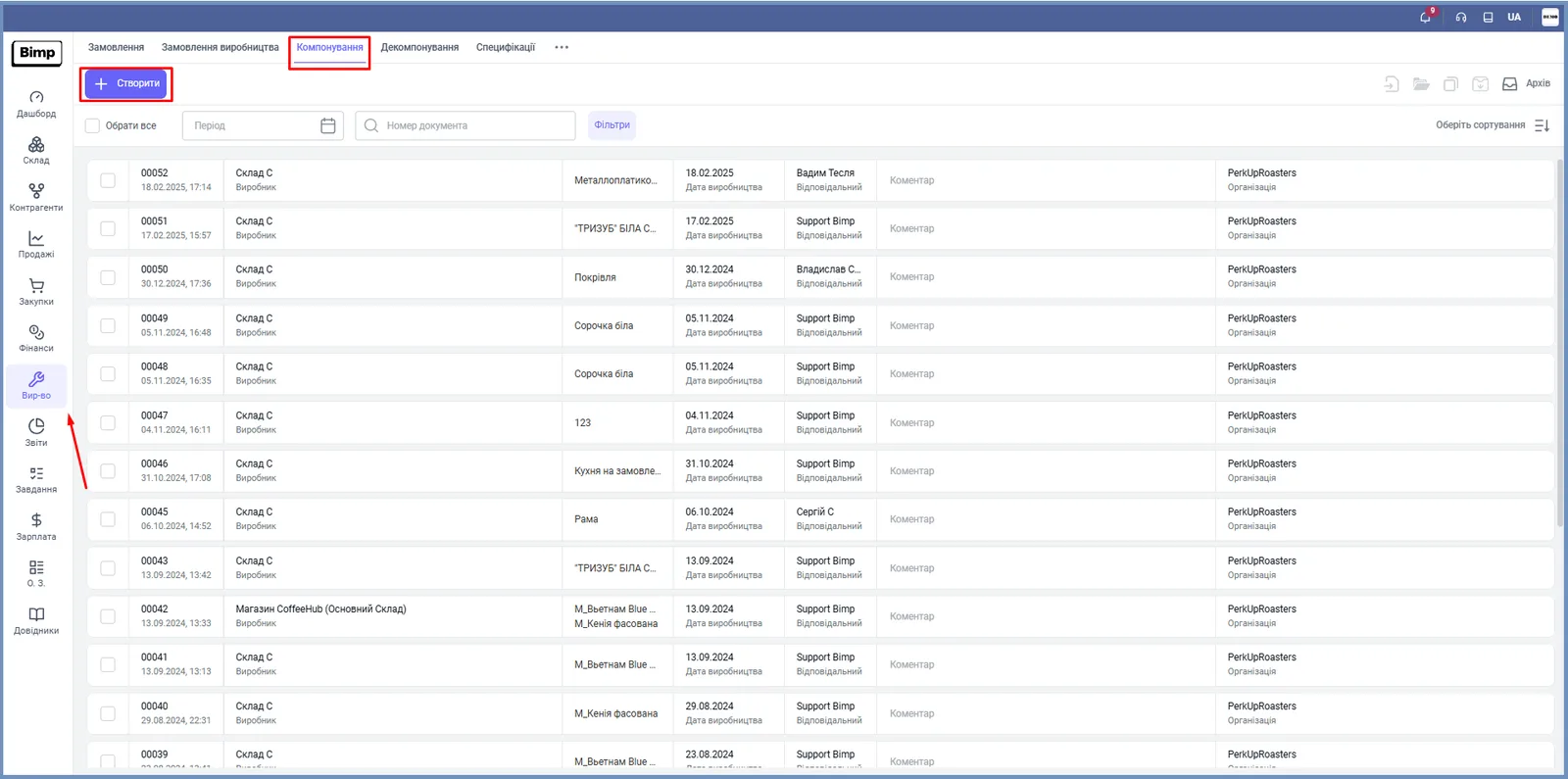
Open the document in one of these ways:
- Production → Production orders, open the order, click Create based on and choose Assembly;
- Production → Assembly → Create.
-
Check the left panel:
Field What to enter “Producer (Warehouse)” The warehouse materials are written off from; preferably the one the product will be posted to “Operation type” Assembling (new products or kits) or Repair “Date” The date and time of actual execution “Line of business”, “Project” For analytics “Production order” The link to the source order (locked if created based on it) “Author”, “Responsible” Who created it and who is responsible -
On the “Products” tab check the product, quantity and price. Click Create batches if batch tracking is used; for products with serial tracking, serial numbers and barcodes are generated automatically by the set algorithm, and the “Series barcode” form prints labels. When creating manually, click + Product, enter the quantity and the specification: materials are added automatically. The unit price for “Assembling” is the sum of the cost price of materials and operations, for “Repair” it also includes the cost price of the item being repaired.
-
On the “Materials” tab compare the plan with the actual:
- if actual consumption differed, correct the quantity;
- check the balances (write-off from different warehouses is possible);
- click Fill by batches to select batches automatically or choose them manually;
- if a material is missing, replace it with an analogue: Other actions → Replace with analogues or the “three dots” in the row (the rules are in the specification);
- for outsourced operations, specify the “Supplier” and “Contract”.
-
On the “Operations” tab check the performers and operations. To change stages and operations, on the “Products” tab choose “Stages and operations” in the row’s “three dots” menu. The “Dependency” column sets the sequence.
-
Click Save: the document will be posted.
What happens after posting
- Materials are written off, finished products are posted, cost price is formed.
- Piecework pay is created automatically from the “Operations” tab with the allocation method “By product”: a “Product” column appears in the accruals, and the sum of operations is immediately charged to the cost of the specific product. Piecework pay cannot be posted without a product.
- A supplier order is created for contractors.
- An assembly at an intermediate stage accumulates cost price in work in progress; write-off from WIP happens only at the stage of making the final product.
- If material limits are set in the specification, hard control applies. See Material consumption limits.
The reverse operation is described in Disassembly.
FAQ
What does assembly do when saved?
It writes off materials and components from the warehouse, posts the finished products, forms their cost price, accrues piecework pay to own employees and creates a supplier order for contractors.
Will piecework pay be corrected if I repost the assembly?
No. If an error in accruals is found after posting and the assembly is reposted, the Piecework pay document must be corrected manually.
What is an assembly at an intermediate stage?
Such an assembly accumulates cost price in work in progress. Write-off from WIP happens only at the stage of making the final product.
Does assembly block material overuse?
Yes, if limits are set in the specification: a material quantity outside the norm blocks saving, except when an administrator confirms the deviation.
More about this in Bimp: Production management software