
Transfer between accounts and cash desks
On this page
The "Transfer of funds between accounts and cash desks" document records the movement of money within the company without separate payment transactions. Open "Finance → Other cash operations → Create", select this document, specify the amount, currency, the source and recipient account or cash desk, and save.
When you need a transfer between accounts and cash desks
You need a transfer when money moves inside the company: from a current account to a cash desk, between cash desks, or from one bank account to another. The document does not create payments to counterparties; it only changes the balances of the source and the recipient. If the currencies differ, use currency exchange.
How to create a transfer
- Open Finance → Other cash operations and click Create.
- In the list, select Transfer of funds between accounts and cash desks.
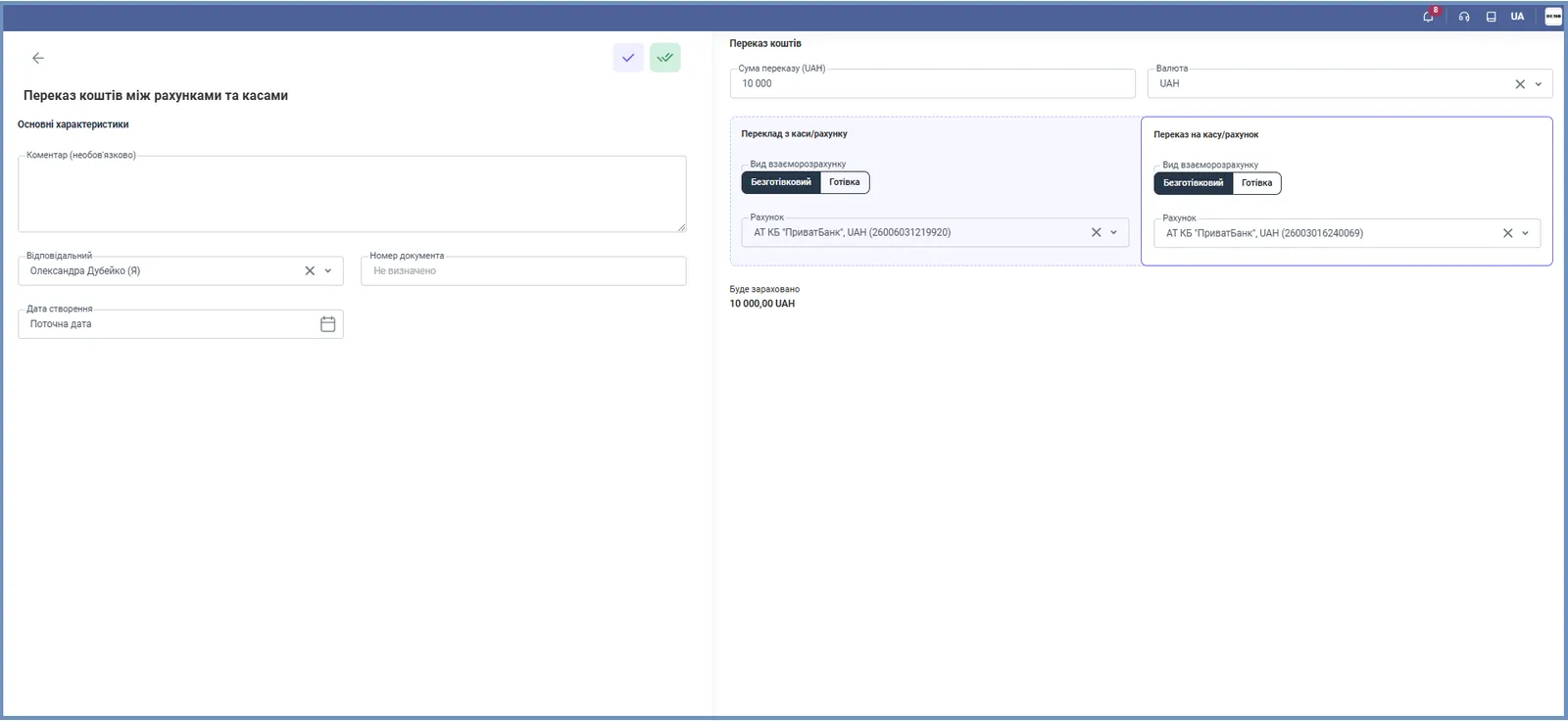
- Fill in the main fields: “Comment” (optional), “Responsible”, “Document number” (Bimp assigns it after saving, or enter your own), “Creation date” (the current date by default; you can change it).
- On the right, specify “Transfer amount” and “Currency”.
- In the “Transfer from cash desk/account” block, select the settlement type, Non-cash or Cash, and the account or cash desk the money is debited from.
- In the “Transfer to cash desk/account” block, select the settlement type in the same way, and the recipient’s account or cash desk.
- Check the amount in the “Will be credited” line and save the document.
What happens after saving
The source balance decreases and the recipient balance increases by the transfer amount. The document is visible in the Finance → Transactions list. You can also create a transfer from a bank statement on the “Transfer” tab of the allocation panel: see Allocating bank statement transactions.
FAQ
How is a transfer different from a currency exchange?
A transfer moves money in one currency, while a currency exchange moves it between accounts in different currencies and records the exchange rate and the exchange rate difference.
Can I transfer money from an account to a cash desk?
Yes. For the source and for the recipient, select the settlement type "Non-cash" or "Cash" separately, and then the corresponding account or cash desk.
More about this in Bimp: Finance in Bimp