
Bulk printing documents from the orders and sales journals
Bulk printing in Bimp generates one PDF with print forms for all selected documents. Open the "Orders" or "Sales" journal, tick the rows you need, click the printer icon above the list and choose a form. Do not select more than 200–300 documents at a time, and allow pop-ups in your browser.
When you need bulk printing
Bulk printing is useful when you need documents for many orders or sales at once: invoices for wholesale customers, packing lists or picking slips for a whole “wave” of shipments. It saves time because you do not have to open each document.
Example. An online store ships more than 50 orders every day. The manager selects all orders with the status “New” or “Production” and prints the “Packing list” for all of them with one click.
How to print several documents at once
-
Open the journal: Sales → Orders or Sales → Sales. If needed, filter the list by period, status or counterparty.
-
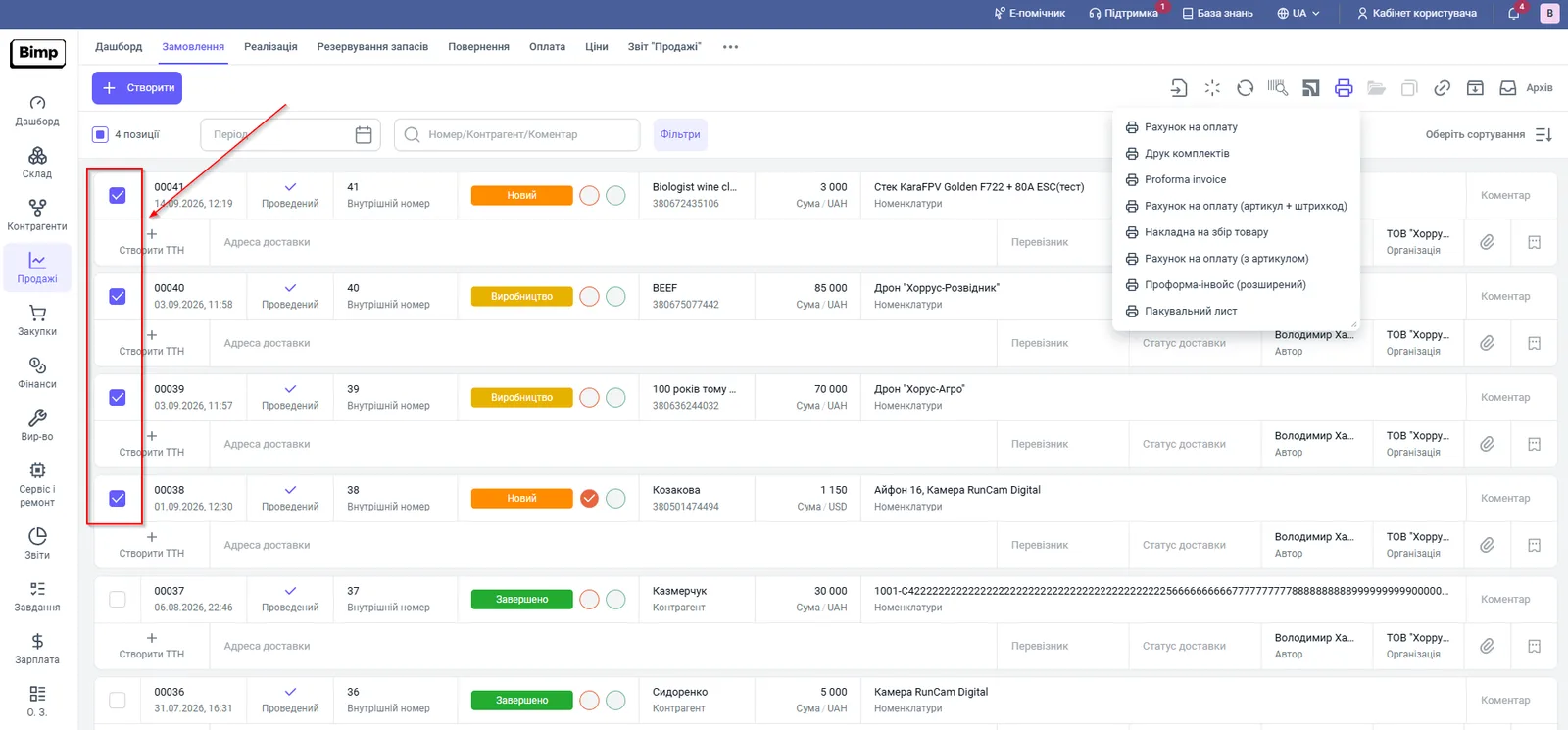
Tick the checkboxes to the left of the documents you need. A counter of selected items appears above the list.
-
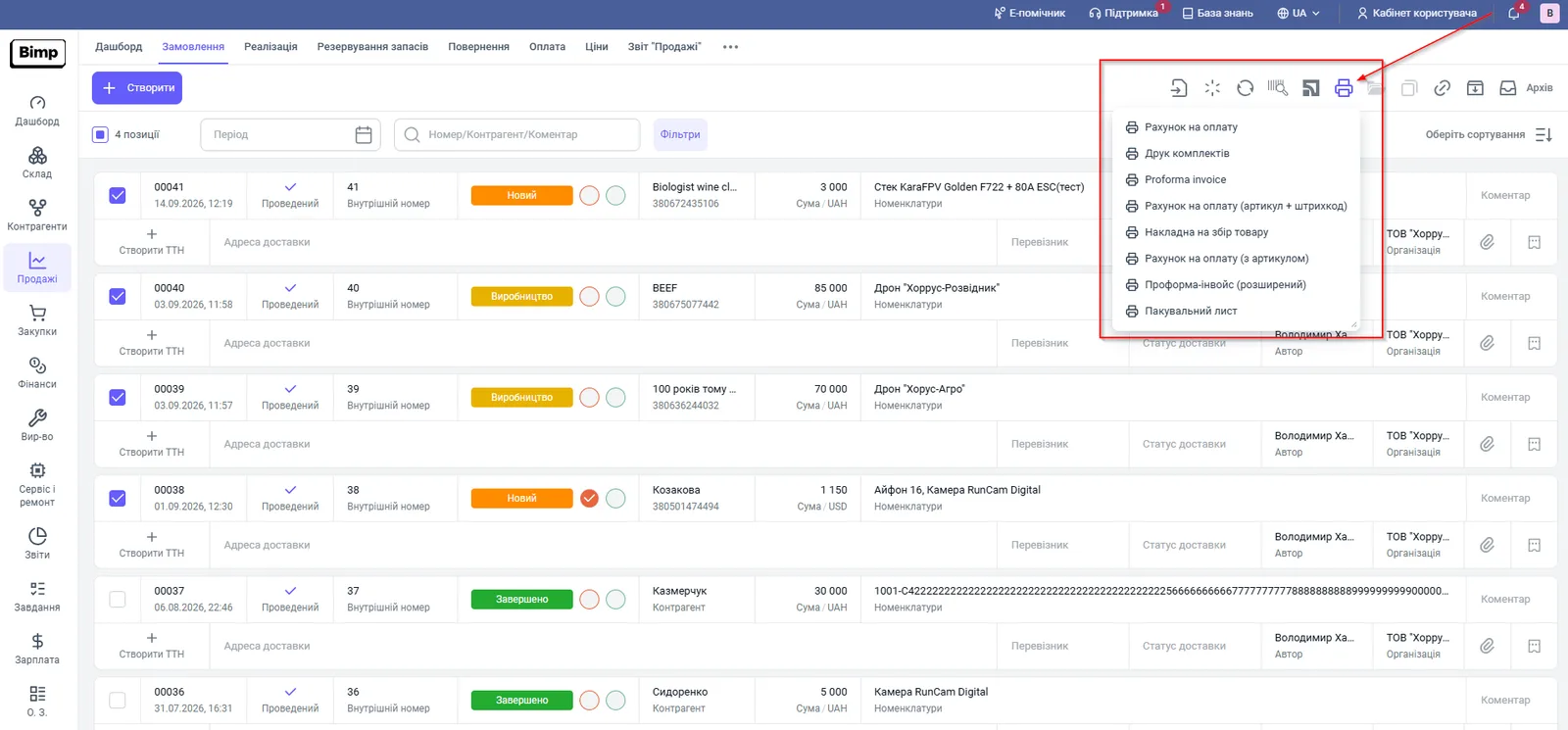
On the action bar above the list, click the printer icon.
-
Choose a print form. For Customer orders, these forms are available: “Invoice”, “Kit printing”, “Proforma invoice”, “Invoice (article + barcode)”, “Picking slip”, “Invoice (with article)”, “Proforma invoice (extended)” and “Packing list”.
-
Bimp generates one file with the selected forms for all ticked documents and opens it in a new tab. Print it with your browser’s print button.
In the “Sales” journal, the menu contains the forms for that document: delivery notes, certificates, waybills and so on. See Printing an invoice and a delivery note, and exporting to Excel.
Limits and tips
- Filter the journal before selecting, so that you do not miss a document or print an order twice.
- To bulk print Nova Poshta waybills, use a separate action: Bulk printing Nova Poshta waybills. It works only for waybills created from a Customer order.
FAQ
How many documents can I print at once?
No more than 200–300 at a time: with a larger number, generating the PDF can take a long time, depending on your internet speed.
Why does nothing open after I choose a form?
The print file opens in a new tab. Allow pop-ups in your browser for the Bimp domain and print again.
Can I bulk print Nova Poshta waybills?
Yes, but as a separate action from the orders journal. See the article "Bulk printing Nova Poshta waybills".
More about this in Bimp: Sales in Bimp