
Customer return: how to issue the document
On this page
The Customer return document puts goods back into the warehouse and adjusts settlements with the customer. Create it in "Sales → Returns" with the "Create" button, choose the customer, contract, warehouse and the base document "Sales of goods and services", adjust the quantity of returned items and save. The money is refunded to the customer with a separate document.
When you need a customer return
Issue a Customer return document when a customer returns goods that were shipped earlier, in full or in part. It puts the goods back into the selected warehouse and takes the return into account in settlements with the customer. If the customer has already paid, you then refund the money. To see where this step fits, read the overview of sales from order to payment.
How to create a customer return
You create a return from the “Sales” section. There are two ways:
- Open Sales → Returns and click Create.
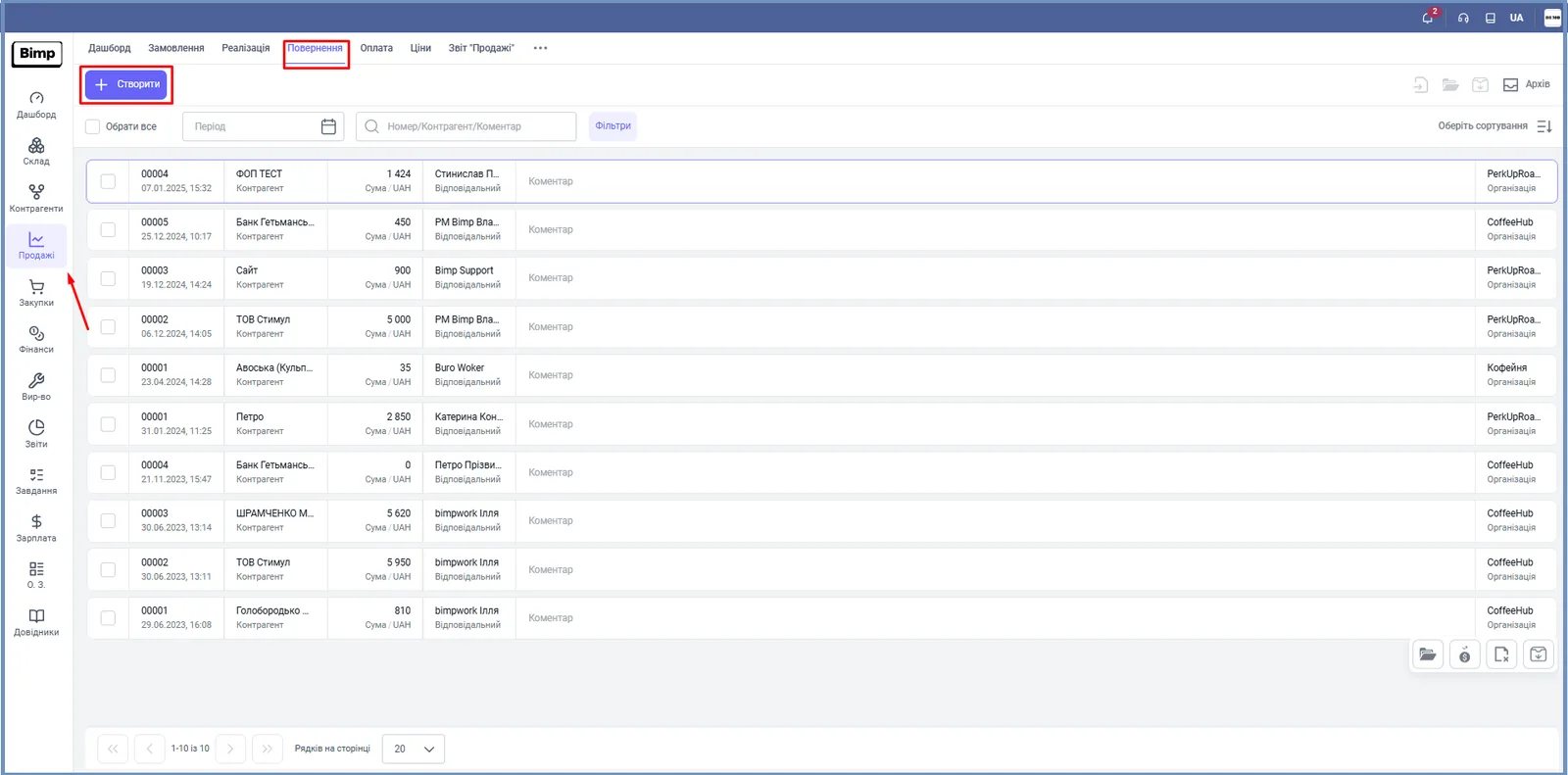
- Or click the Return button on the dashboard of the “Sales” module.
The form of a new document opens.
How to fill in the return form
Fill in the “Main” panel on the left, and then check the goods table.
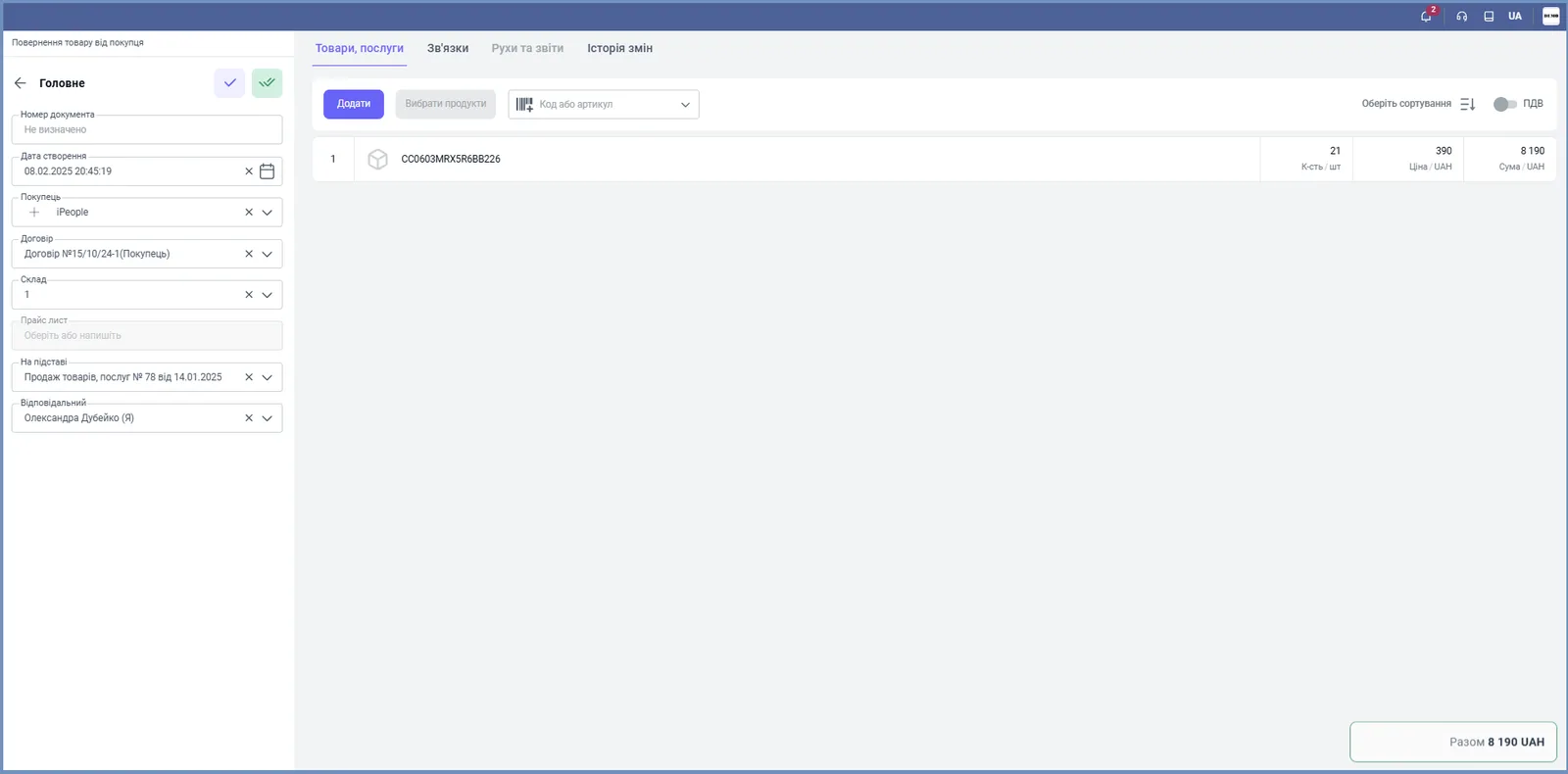
- “Document number”: leave it empty and the system assigns a number after saving, or enter your own.
- “Creation date”: the current date; you can change it.
- “Customer”: choose the customer who is returning the goods.
- “Contract”: choose the contract under which the sale was made.
- “Price list”: the price list used to calculate prices.
- “Based on”: choose, by number and date, the sale (or order) that the return is based on.
- “Warehouse”: the warehouse the goods are returned to.
- “Responsible”: the employee who posts the document.
- In the “Print” block, choose the company to show in the print forms.
The items from the base document are pulled into the “Goods, services” table automatically. If only part is returned:
- change the “Quantity” and “Price” in the rows;
- delete unneeded items, or add others with the Add and Select products buttons;
- find a product in the “Code or article” field by code, article or barcode.
How to save the return
Click the save button at the top of the left panel. The document records the return of the goods to the warehouse.
Next you can:
- create a Customer refund based on the return, if the customer has already paid for the goods;
- view the chain of documents on the Links tab: see Links tab.
FAQ
How do I return only part of the goods from a sale?
Create a return based on the sale, and in the goods table change the quantity or delete the items the customer is not returning. You can edit the quantity and price in the rows.
Does the Customer return document refund the money to the customer?
No, it puts the goods back into the warehouse. The money is refunded with a separate Customer refund document, which is created based on the return.
How do I return one series from a sold batch?
In the sales document, tick only the series you need and create the return. For details, see the article "Returning a specific series from a sold batch".
More about this in Bimp: Sales in Bimp