
Printing an invoice and a delivery note, and exporting to Excel
On this page
An invoice is printed from a customer order, a delivery note from a Sales of goods and services document. Open the document, click the printer icon, and choose a form: Bimp opens a PDF. For an editable file, click the "three dots" → "Export to Excel" and choose a form.
Where to print an invoice and a delivery note
The print form depends on the document you print from. An invoice is available in a customer order, and a delivery note in a Sales of goods and services document (Shipment). The list of forms in the menu differs between documents.
Before you start
For the form to be filled in completely, these directories must be filled in:
- “Organizations”: your details;
- “Counterparties”: the customer data;
- product cards: names and units of measure.
If the names in the print differ from the document, check the “Print name” field in the product card. The logo and facsimile (stamp, signature) are added in the organization settings, and they appear automatically on all forms.
How to print an invoice
An invoice is printed from a saved customer order: the customer, contract, and line data are taken from it.
- Open Sales → Orders and the order you need. Save it if you made changes.
- On the top bar of the document, click the printer icon.
- In the list, choose Invoice.
- Bimp opens the form in a new tab as a PDF. Print it or save the file to your computer.
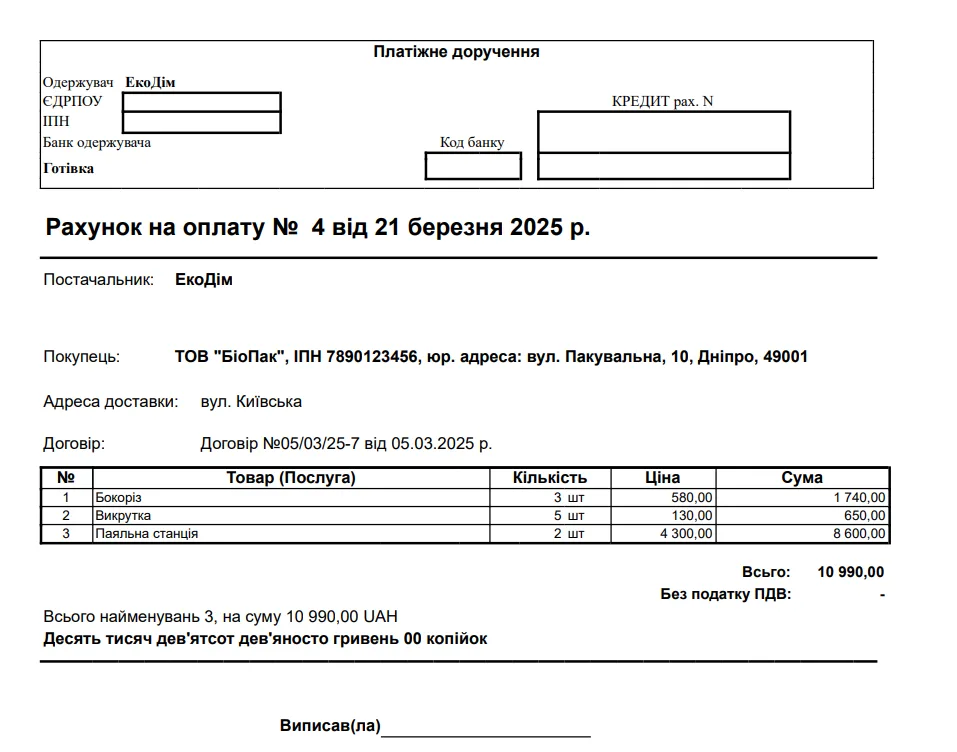
Which print forms are in a customer order
These forms are available in the printer menu of a customer order:
| Form | What it is for |
|---|---|
| “Invoice” | Standard invoice: items, quantity, price, amount due, payment details |
| “Invoice (with SKU)” | An invoice with the SKU of each product |
| “Invoice (SKU + barcode)” | Also shows the item barcode, which is convenient for scanning |
| “Print kits” | A list of kit products that make up a set |
| “Picking slip” | An internal document for the warehouse: items, quantity, storage location |
| “Proforma invoice”, “Proforma invoice (extended)”, “Packing list” | Export documents; see Proforma invoice and packing list |
A “Proforma invoice” is a preliminary offer invoice; it is not a basis for accounting.
How to print a delivery note
A delivery note is printed from a Sales of goods and services document. It confirms the handover of goods to the customer.
- Open Sales → Sales and find the document by number, date, or counterparty.
- Open the document and click the printer icon.
- Choose a form, for example Delivery note (barcode).
- In the PDF preview window, send the file to the printer or save it to send to the customer.
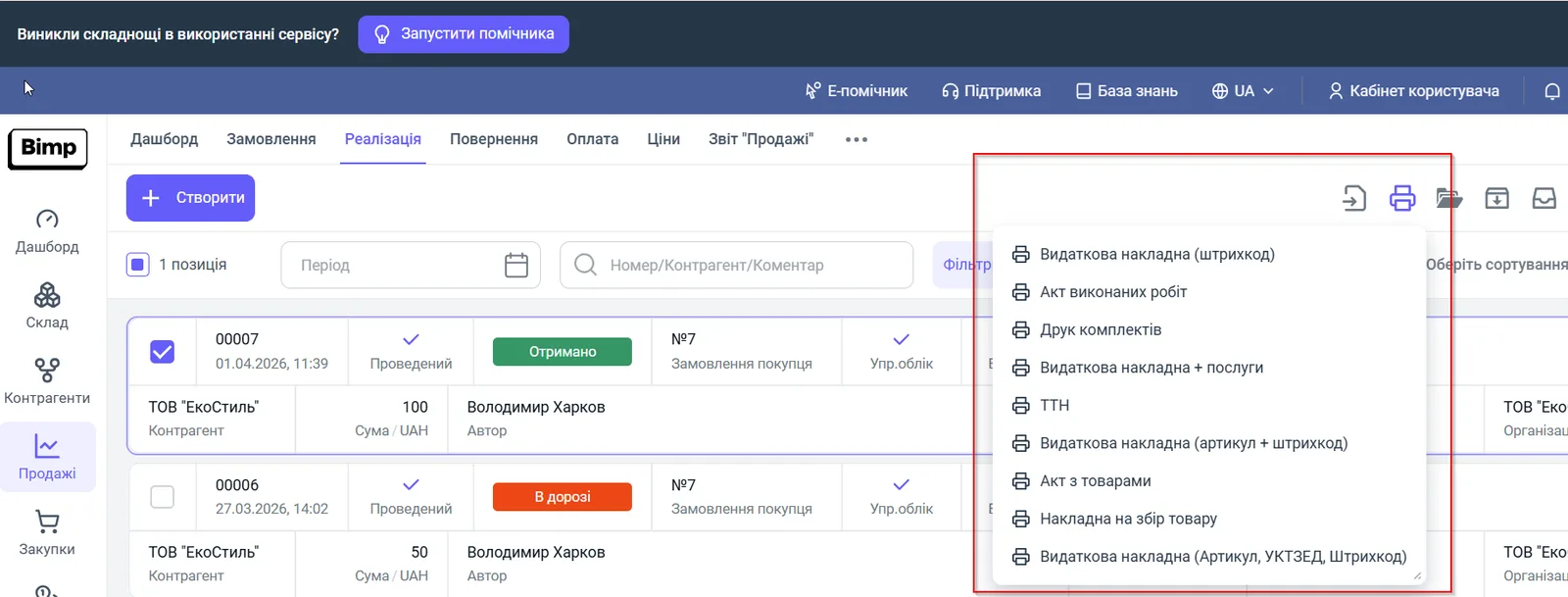
If the form has an error in a price or a name, correct the data in the document itself, save it, and print again: the form updates.
These forms are available in a Sales of goods and services document:
- delivery notes: “Delivery note (barcode)”, “Delivery note + services”, “Delivery note (SKU + barcode)”, “Delivery note (SKU, UKTZED, barcode)”;
- “Certificate of completed work” and “Certificate with goods”; see Providing services;
- “Waybill”, the 1-TN form of the goods and transport waybill; see Printing a waybill;
- “Print kits” and “Picking slip”.
How to export a document to Excel
Export to Excel produces an .xlsx file that you can edit, for example if a customer asks for a table for their own accounting.
- In the open document, click the “Three dots” button on the top bar.
- Hover over Export to Excel.
- In the list, choose a form, for example Invoice. The file is downloaded automatically.
The list of forms for export depends on the document type: for example, “Delivery note” is available in “Sales of goods and services” but not in a customer order.
To print several documents at once, see Bulk document printing.
FAQ
Where do I create an invoice in Bimp?
There is no separate Invoice document. An invoice is a print form of the customer order: save the order, click the printer icon, and choose "Invoice".
Why is the print form empty or showing errors?
The directories are not filled in. Check the details in "Organizations", the customer data in "Counterparties", and the names and units of measure in the product cards.
How do I export an invoice to Excel?
In the open document, click the "three dots", hover over "Export to Excel", and choose the form you need, for example "Invoice". The .xlsx file is downloaded to your computer.
Why is the product name in the print form different from the one in the document?
The print output uses the "Print name" field from the product card. Check its value.
More about this in Bimp: Sales in Bimp