
Empty storage locations report: finding free bins
On this page
The Empty storage locations report shows empty bins, shelves, and warehouse zones with address-based storage where you can receive a new batch of goods. To generate it, open "Reports → Empty storage locations" and click "Generate report".
What the Empty storage locations report is for
The Empty storage locations report shows bins, shelves, rows, and warehouse zones that currently hold no goods. Storekeepers and warehouse managers who use address-based storage need it. Two typical scenarios:
- Receiving a large delivery. Instead of looking for free shelves among a thousand bins, the warehouse manager generates the report and gives the forklift operator a ready list of addresses.
- Warehouse reorganization. Before expanding the assortment, you can see which racks are completely free, so stock can be regrouped compactly.
General report mechanics are described in the article Reports in Bimp.
Before you start
The report works only when address-based storage is set up. It is built from the “Storage locations” directory and the settings in product cards. How to create storage locations is described in the article Storage locations (address-based storage), and the warehouses themselves are covered in the article Warehouses and stores.
How to generate the report
To get the list of free locations, open the report and click the generate button.
- Open Reports → Empty storage locations.
- If needed, set the “Warehouse” and “Products” filters.
- Click Generate report.
The report shows the current state of the warehouse and is generated at the moment of the request.
Report figures
The table has the following columns:
| Column | What it means |
|---|---|
| “Warehouses” / “Products” | the name of the warehouse (or product, depending on grouping) where there are empty locations |
| “Code” | the unique system code of the bin |
| “Storage location” | the exact address of the free location, for example “Rack 3, Shelf B, Bin 14” |
Filters and grouping
| Parameter | Value |
|---|---|
| “Warehouse” filter | empty locations in only one warehouse or one zone |
| “Products” filter | which locations assigned to a product are currently completely empty |
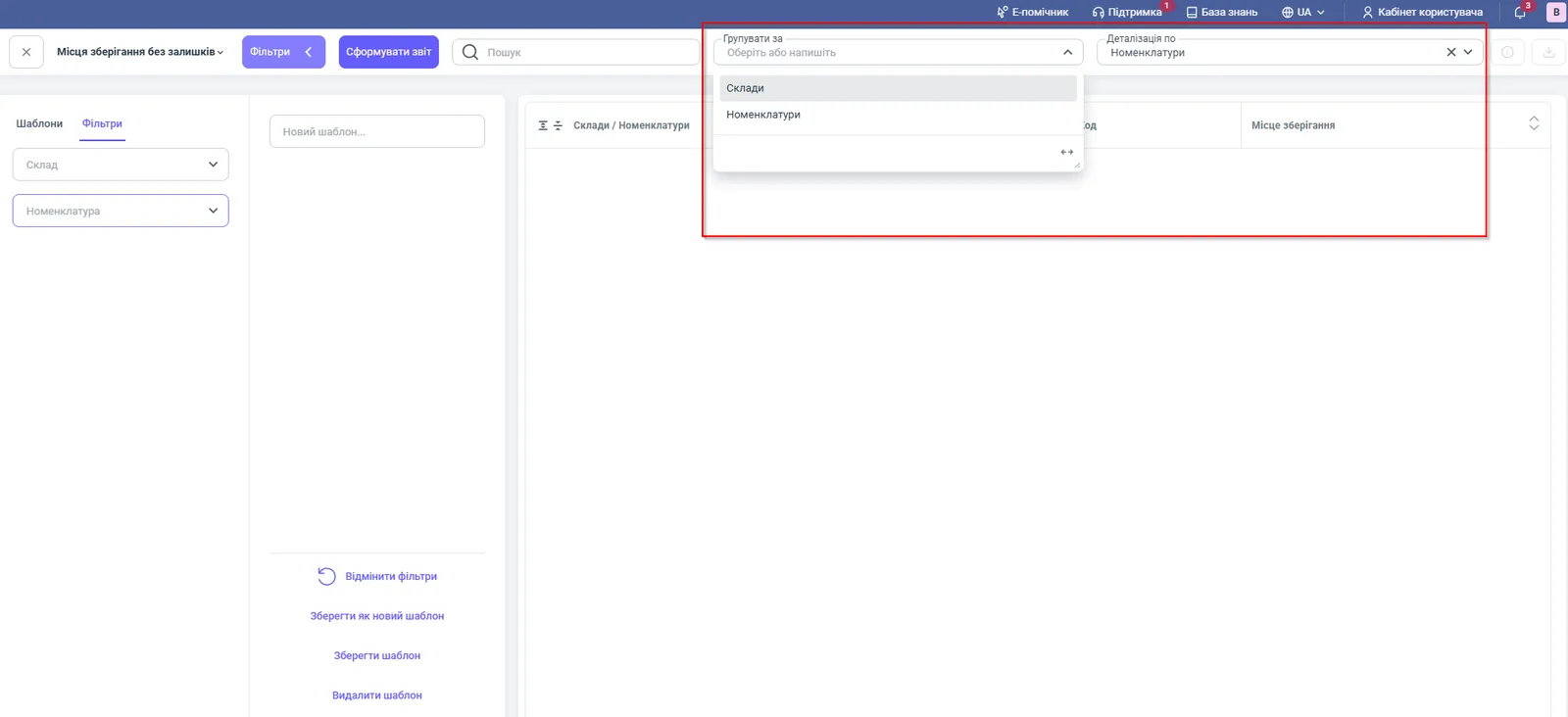
| “Group by” | “Warehouses” (default) or “Products” |
| “Detail by” | “Products”: to make sure that no product items are linked to the address |
You can save the configured filters as a template with the Save as new template button and open the map of free locations in one click every day.
How to read the figures: an example
The warehouse of an online store receives a batch of 40 boxes, and each needs a separate bin. The storekeeper selects the “Main warehouse”, generates the report, groups by warehouses, and gets a list of free addresses: “Rack 3, Shelf B, Bin 14”, “Rack 3, Shelf B, Bin 15”, and so on. Addresses from the same rack are used next to each other so that the batch lies compactly.
Why the figures do not match
A bin where goods actually lie is in the list of empty ones. This means that a receipt or transfer was posted for the warehouse as a whole, without a storage location. Check how the receiving documents are filled in, see Stock posting.
A bin is missing from the report although it is empty. Check that it is created in the “Storage locations” directory and that you have not limited the selection with the “Warehouse” or “Products” filters.
The report is empty. If address-based storage is not set up or there are no free bins, the table stays empty.
FAQ
Which warehouses does the Empty storage locations report work for?
For warehouses with address-based storage: bins must be created in the "Storage locations" directory, and storage locations must be set up in product cards.
For what date is the report generated?
The report shows the current state of the warehouse and is generated at the moment of the request; you cannot select a past date.
Why is a bin where goods actually lie in the list of empty ones?
Most likely, a receipt or transfer was posted for the warehouse as a whole, without a storage location. Check how the receiving documents are filled in.