
Goods receipt with additional costs report: full cost price
On this page
The Goods receipt with additional costs report shows, for each product, the supplier's price, the additional costs allocated to it (delivery, customs duty, insurance), and the full cost price of the batch and unit. To generate it, open "Reports", select this report, set the period, and click "Generate report".
What the Goods receipt with additional costs report is for
The report shows how much the goods cost the company including all related expenses, not just the supplier’s price. You need it so you do not overstate the margin: delivery or customs clearance often makes up a noticeable part of the cost.
- Import. Equipment from China: besides the factory price, logistics and customs duty were paid. The manager sees the full cost price when setting the retail price.
- Local logistics. A furniture store ordered tables from a local manufacturer and delivered them with a third-party carrier. The owner sees how delivery affected the cost price of each table and whether it is worthwhile to work with this carrier.
General report features are described in the article Reports in Bimp.
Which documents form the report
The report is built from two documents, which must be posted:
| Document | What it gives the report |
|---|---|
| Goods receipt | the quantity and purchase price from the supplier |
| Additional costs | the amount of third-party services (transport, storage, insurance) allocated to the cost price of the goods of a specific receipt |
How to record expenses is described in the articles Additional costs on a receipt and The “Additional costs” document.
How to generate the report
To see the cost price of receipts, open the report, select the period, and click the generate button.
- Open Reports → Goods receipt with additional costs.
- Select the period in the calendar of the left panel.
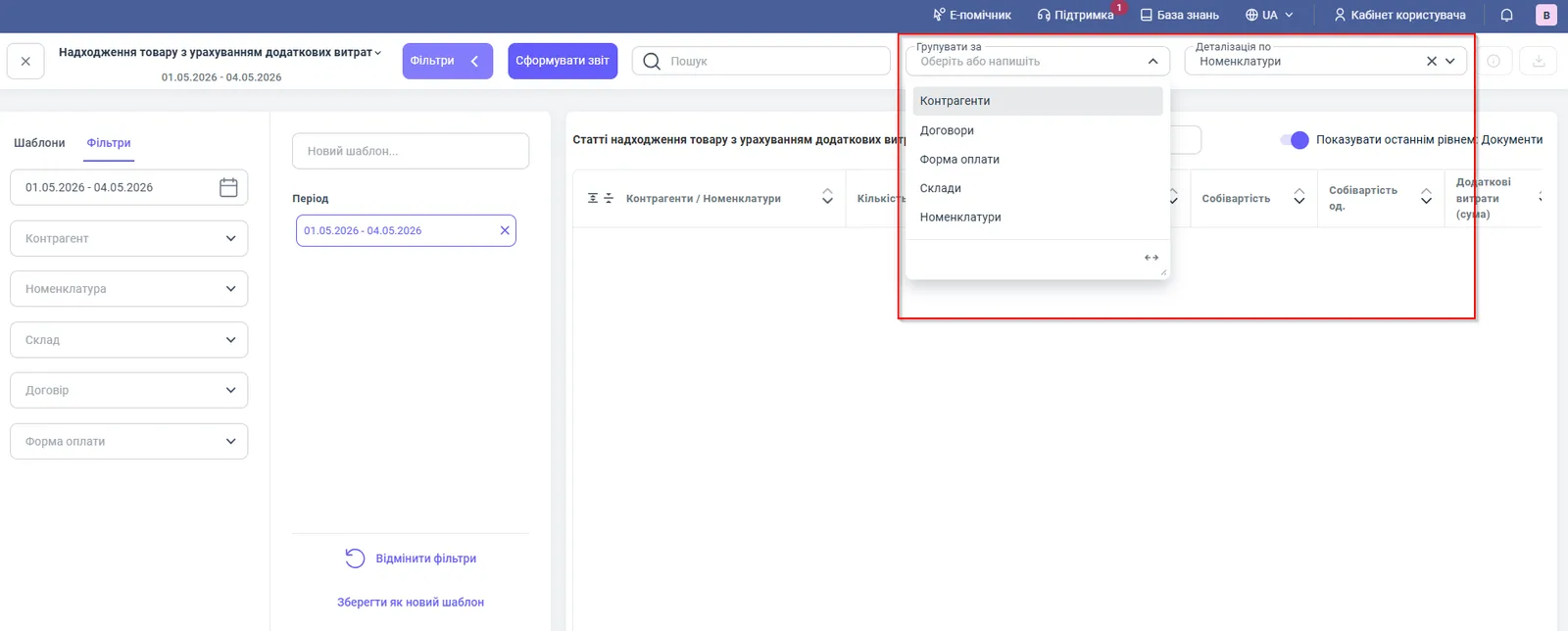
- If needed, set filters, grouping, and detail.
- Click Generate report.
Report figures
| Column | What it means |
|---|---|
| “Quantity” | the volume of goods purchased |
| “Amount” | the value of the goods per the supplier’s invoice |
| “Receipt price per unit” | the primary value of a unit without expenses |
| “Cost price” | the full value of the batch: “Amount” plus additional costs |
| “Cost price per unit” | the full value of a unit; this is what you use to calculate margin |
| “Additional costs (amount)” | the total amount of overhead expenses allocated to this product |
Filters and grouping
| Parameter | Value |
|---|---|
| “Counterparty” filter | receipts from a specific supplier |
| “Products” filter | a specific product |
| “Warehouse” filter | cost price by warehouse |
| “Contract” filter | cost price by each contract, if a counterparty has several |
| “Payment form” filter | cashless or cash payment |
| “Group by” | counterparty (default), products, warehouse, contract, payment form |
| “Detail by” | documents, products, warehouse, contract, payment form |
The Show as the last level: Documents switch expands each product to the documents by which additional costs were accrued.
How to read the figures: an example
A batch of 100 pcs was purchased on an invoice for 50,000 UAH: the “Receipt price per unit” is 500 UAH. Logistics and customs duty under the “Additional costs” document came to 7,500 UAH. Then the batch’s “Cost price” is 57,500 UAH, the “Cost price per unit” is 575 UAH, and “Additional costs (amount)” is 7,500 UAH. Calculate the retail price and margin from 575 UAH, not from 500.
Why the figures do not match
There are no additional costs in the report, or they are lower than expected. Expenses get into the report only through a posted “Additional costs” document linked to the receipt. If the document was created later and the sale has already taken place, the cost price of the sale changes after recalculation, see Cost price recalculation.
The value in this report differs from the value in other reports. This report analyzes purchases by specific receipts, while Stock movement and Gross profit calculate the value of balances and sales. Compare them after all additional costs documents are posted.
Amounts by contract or payment form differ. Check that the “Contract” or “Payment form” filter is not set: they cut off part of the receipts.
FAQ
How does "Cost price" differ from "Receipt price per unit" in the report?
"Receipt price per unit" is the primary unit price per the supplier's invoice, without expenses. "Cost price" is the value of the batch together with additional costs, and "Cost price per unit" is the same per one unit.
Why are there no additional costs in the report?
Expenses get into the report only after the "Additional costs" document allocated to a specific receipt is posted. Check that the document is posted and linked to the right receipt.
How do I see which documents accrued the expenses?
Turn on the "Show as the last level: Documents" switch and expand the product.